
CardPointers Review: Features, Cost, and How It Works
Last updated: July 31, 2026
Quick Answer
CardPointers is a U.S.-focused credit card management app and browser extension that stores your card lineup, tells you which card in your wallet is likely to earn the most on a given purchase, tracks annual credits and perks, and helps activate targeted card offers. It has a limited free tier and an optional paid plan called CardPointers+. It does not search award availability, transfer points, or book flights and hotels, so it works as a companion to award booking research rather than a replacement. Whether it pays for itself depends entirely on how many cards you hold, how many offers and credits you actually use, and how disciplined you already are without it.
Key Takeaways
- CardPointers organizes your cards in one place and surfaces the best-earning card per spending category, based on card data the app maintains.
- The browser extension is the practical heart of the product: CardPointers states it can auto-add eligible card offers from major issuers when you’re logged into your bank normally.
- CardPointers says the extension does not require sharing bank login credentials or purchase history. Verify current permissions on the official extension listing before installing.
- The free plan tracks a limited number of cards. CardPointers+ unlocks unlimited cards, deeper benefit tracking, and more automation.
- Pricing, promotions, supported banks, and features change. Check the live offer embedded below for current terms instead of relying on any figure quoted in an article.
- CardPointers claims that members save meaningful amounts annually. That’s the company’s figure, not an independent measurement, and your result depends on your own cards and habits.
- If you hold one or two cards and already know your categories, a spreadsheet or a phone note may be enough.
- CardPointers cannot book award travel. Pair it with award search tools and transfer partner research for redemptions.

What is CardPointers and how does it work?
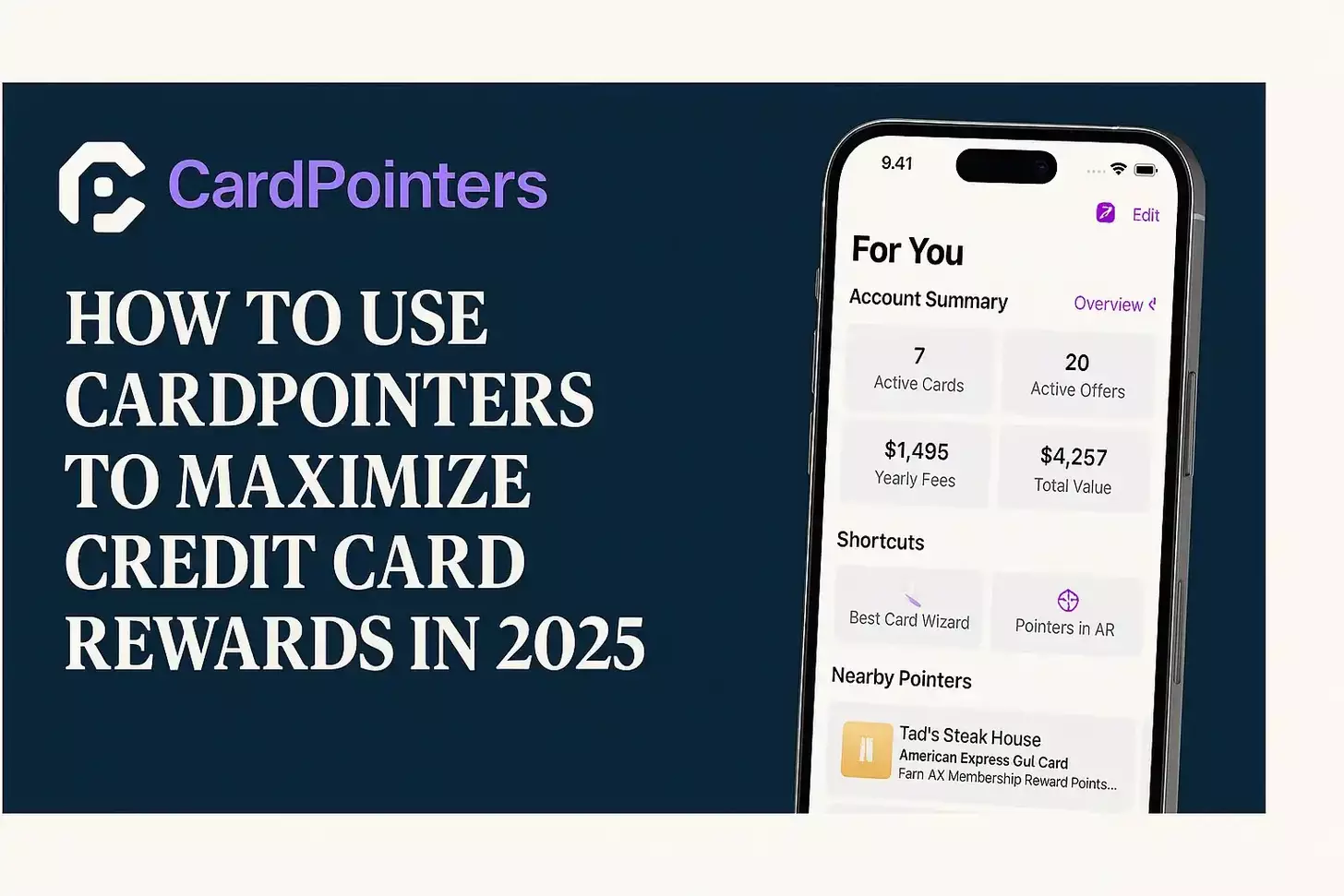
CardPointers is a rewards management app for iOS, Android, and web, plus a companion browser extension, built to answer three recurring questions for people who carry multiple rewards cards: which card should I use here, what benefits am I forgetting, and which offers should I activate.
It works from a card database rather than from your bank account. You add the cards you hold (manually, from a searchable list), and the app then applies what it knows about each card’s earning structure, credits, and perks to your specific lineup.
The core loop looks like this:
- Add your cards. Select from CardPointers’ card catalog. No bank login is involved in this step.
- Ask what to use. Search a merchant or category and the app ranks your cards by expected earning rate.
- Track benefits. Statement credits, free night certificates, and recurring perks appear as items with reminders.
- Install the extension (optional). CardPointers states the extension can detect and add eligible targeted offers when you’re logged into a supported issuer’s site.
- Get nudges. Reminders arrive before credits expire or when a new offer appears for a card you hold.
What it deliberately does not do matters just as much. CardPointers is not an award search engine. It won’t tell you whether there are two business class seats on ANA to Tokyo next March, it won’t move Chase points to Hyatt, and it won’t issue a ticket. Those tasks belong to airline award calendars, transfer partner research, and booking tools.
Common mistake: treating CardPointers as an all-in-one travel platform. People add cards, get accurate category advice, then wonder why the app can’t find award space. Earning and redeeming are separate workflows, and CardPointers only handles the earning and benefit side.
Affiliate disclosure: Award Travel Hub may receive compensation if you sign up through the CardPointers offer below, at no additional cost to you.
What are CardPointers’ main features?
The main features cluster into four groups: card and wallet organization, spending-category recommendations, benefit and credit tracking, and the browser extension that handles card offers.
Card and benefit tracking
Once your cards are loaded, CardPointers builds a running list of the perks attached to them. That typically includes:
- Recurring statement credits (travel, dining, streaming, rideshare, airline incidental style credits, depending on the card)
- Annual free night certificates or anniversary bonuses on hotel cards
- Credits with narrow usage windows, such as semiannual or quarterly credits that reset
- Card anniversary dates, useful when deciding whether to keep, downgrade, or product change a card
The reminder function is the real value here. Premium cards increasingly split credits into monthly or semiannual buckets, which is precisely the design that causes people to forfeit value. A tracker that pings you in the last week of a credit period addresses a genuine failure point.
Note the limitation: CardPointers tracks benefits based on your input and its card data, not by watching your transactions. It doesn’t know you already used your dining credit unless you tell it or the data source reflects it. Marking items as used is a manual habit you have to build.
Spending-category recommendations
Ask CardPointers where you’re spending and it ranks your cards by earn rate. Search “Costco,” “Whole Foods,” “Delta,” or “gas station” and you get an ordered list.
A few practical examples of where this earns its keep:
- Grocery ambiguity. Warehouse clubs, Target, and Walmart usually don’t code as grocery stores on cards that pay bonuses at U.S. supermarkets. CardPointers flags that distinction rather than letting you assume.
- Travel coding. A card may pay a bonus on “travel purchased through the issuer’s portal” but only base rate when you book direct. The app separates those cases.
- Rotating categories. Cards with quarterly 5% categories require activation and have caps. The app surfaces both.
- Overlapping cards. If you carry three cards that all pay 3x on dining, the recommendation factors in which underlying currency you value more only if you’ve set point valuations, so review your own valuation settings.
Decision rule: if you regularly hesitate at checkout with three or more cards in your wallet, category recommendations will save you real basis points. If you carry one flat-rate 2% card and a Hyatt card, you don’t need software for that.
Browser extension and card offer features
The extension is what separates CardPointers from a manual tracker. Targeted merchant offers (Amex Offers, Chase Offers, BankAmeriDeals and similar programs) require individual activation, and issuers rotate dozens of them across multiple cards. Clicking each one by hand across five cards is tedious enough that most people skip it.
CardPointers states that its extension can auto-add eligible offers for cards from American Express, Chase, Bank of America, Citi, Wells Fargo, and U.S. Bank when you log in to those issuers normally in your browser, and that it does so without collecting bank credentials or purchase history. Those are the company’s descriptions of how the extension operates, not independently audited claims.
Two caveats before installing:
- Supported institutions change. Issuer support and behavior can shift with site redesigns. Confirm current coverage on cardpointers.com/extension and the official Chrome, Safari, Firefox, or Edge listing.
- Permissions matter. Any extension that reads pages on your bank’s domain requires page-access permissions. Read the permission prompt in the browser store listing and decide whether you’re comfortable with that scope on financial sites. That’s a reasonable personal judgment call, not a settled question.
How accurate are CardPointers’ recommendations?
Recommendations are generally accurate for standard, well-documented earning structures, and less reliable in the gray zone where merchant category codes decide the outcome. The app knows what a card’s terms say. It cannot know how an individual merchant’s payment processor codes a specific transaction.
Where accuracy is strong:
- Published bonus categories with clear definitions (airfare booked direct, U.S. supermarkets, transit)
- Named merchant partnerships and portal-only bonuses
- Annual fee, credit amounts, and reset schedules for major cards
Where you should verify yourself:
- Small or independent merchants with unpredictable MCC coding
- Hybrid businesses (a grocery store inside a superstore, a restaurant inside a hotel, a gas station convenience store)
- Brand-new cards or mid-cycle issuer changes, where any third-party database can lag the issuer’s own terms
- Foreign merchants and unusual purchase types (money orders, gift cards, tax payments)
Edge case worth knowing: if you set custom point valuations, the ranking changes. Someone valuing Membership Rewards at a high cents-per-point figure will get different advice than someone who redeems for statement credits. Set your valuations honestly, based
What do the free and CardPointers+ plans include?
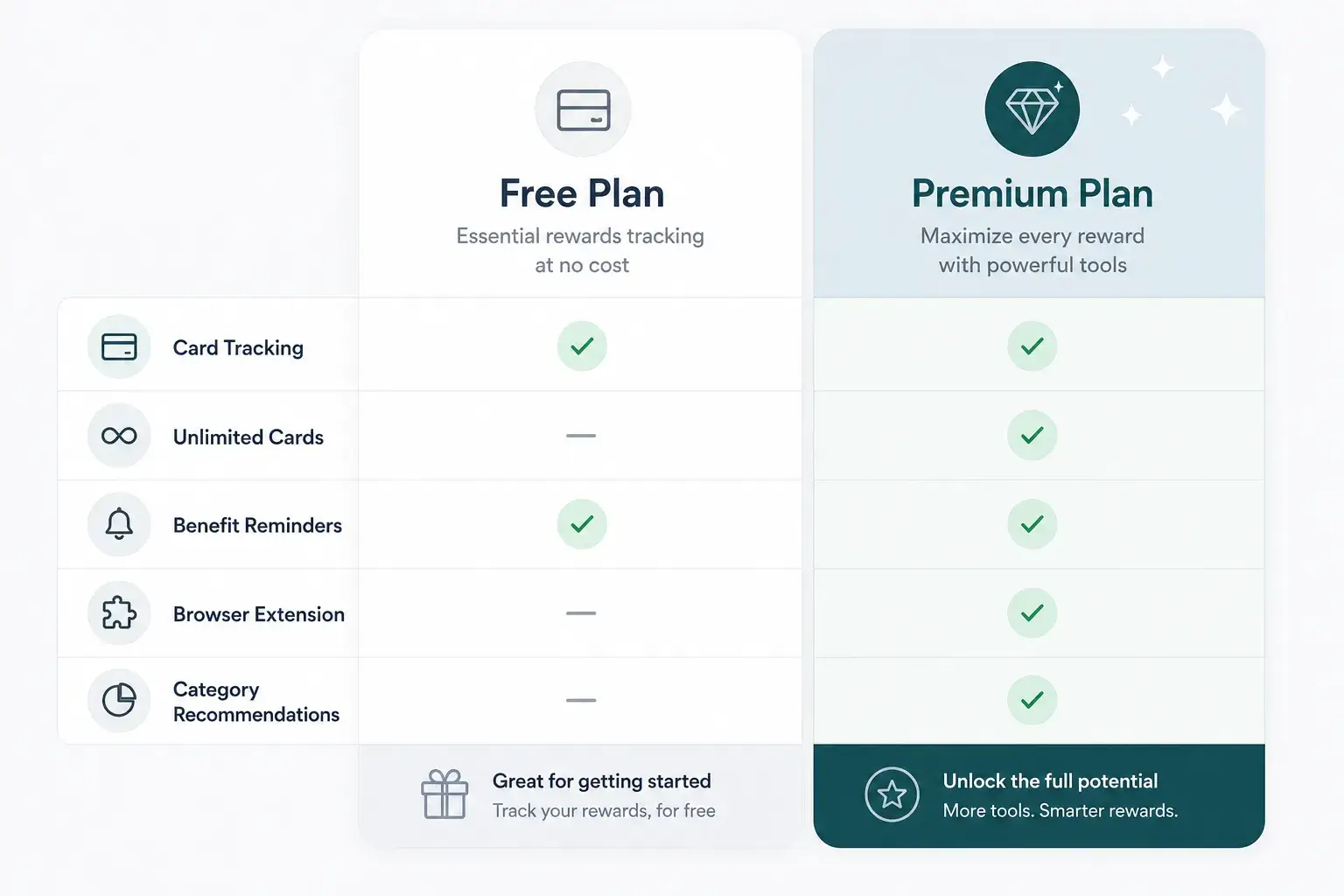
CardPointers has a limited free tier and an optional paid subscription called CardPointers+. The free version is a functional starting point; CardPointers+ removes the card limit and unlocks the automation and tracking depth that make the product worthwhile for larger wallets.
| Capability | Free plan | CardPointers+ |
|---|---|---|
| Number of tracked cards | Limited | Unlimited |
| Best-card-for-purchase lookup | Basic | Full, with custom valuations |
| Benefit and credit tracking | Limited | Full tracking with reminders |
| Browser extension offer automation | Restricted | Included |
| Advanced tools and priority features | No | Yes |
| Multiple device sync / household use | Limited | Expanded |
Feature allocation between tiers changes over time, so treat the table as a structural guide and confirm specifics on cardpointers.com/pro or in the live offer above.
CardPointers pricing and cost in 2026
CardPointers+ is sold as a subscription, and the company has historically also offered a one-time lifetime option. Exact prices, billing intervals, trial lengths, and any promotional discount change frequently, so no figure is hard-coded here.
Check the embedded offer above for current pricing and terms. That’s the only reliable place to see what applies to you today.
CardPointers markets the product partly on a savings figure, stating that members save substantial amounts per year (a commonly cited company figure is over $750 annually). That is CardPointers’ own marketing claim, not an independently verified benchmark and not a conclusion drawn by Award Travel Hub. Your actual outcome depends on:
- How many cards with unused credits you hold
- Whether you were already activating offers manually
- Your spending volume in bonus categories
- Whether you redeem points at high value or for cash equivalents
A single household with two premium cards and several forgotten monthly credits could recover the subscription cost quickly. Someone with one cashback card almost certainly won’t.
Is CardPointers secure, and what are the privacy considerations?
CardPointers states that it does not require bank login credentials and does not collect purchase history or account balances. Cards are added manually from a catalog, so the app does not need aggregator access to your accounts the way budgeting tools do. That architecture removes a common category of risk.
The genuine consideration is the browser extension’s page access. To add offers on your issuer’s website, the extension needs permission to run on those domains. Reasonable due diligence before installing:
- Read the permissions listed on the official browser store page (Chrome Web Store, Safari App Store, Firefox Add-ons, Edge Add-ons). Permissions are disclosed there, not in third-party articles.
- Confirm the publisher matches CardPointers’ official listing to avoid copycat extensions.
- Review CardPointers’ current privacy policy and support documentation at help.cardpointers.com for what data is stored and where.
- Decide your own comfort level with extensions running on banking domains. Some people restrict such extensions to “on click” access in Chrome’s site-access settings.
- Use the app without the extension if you’d rather not grant page access. You lose offer automation but keep card and benefit tracking.
No claim is made here that any extension is risk-free. The point is that the risk is knowable, disclosed in the browser listing, and within your control.
Is CardPointers worth it, and what do Reddit users say?
CardPointers is worth it primarily for people with four or more rewards cards and at least one premium card carrying multiple recurring credits. Community discussion on Reddit forums such as r/CreditCards and r/awardtravel tends to split along predictable lines rather than reaching a consensus.
Recurring themes in community sentiment (paraphrased, not quoted):
Positive views tend to emphasize:
- The offer-adding automation saves meaningful time across several issuers
- Credit reminders prevent forfeited value on high-annual-fee cards
- The lifetime purchase option appeals to people who dislike recurring subscriptions
Critical views tend to emphasize:
- Heavy points hobbyists already know their optimal card per category
- A spreadsheet costs nothing and never changes its pricing model
- Extension permissions on banking sites are a personal dealbreaker for some
- Category data occasionally lags issuer changes
Both camps are describing real experiences with different wallets. The honest read: the tool’s value scales with wallet complexity and with how much value you’re currently leaving on the table.
Who should use CardPointers, and who shouldn’t?
CardPointers fits people whose card portfolio has outgrown their memory. It’s less useful for minimalists and for expert hobbyists who already run their own systems.
Likely to benefit:
- Holders of 4+ rewards cards across two or more issuers
- Anyone with premium cards that split credits into monthly, quarterly, or semiannual buckets
- Households sharing cards where one person manages the strategy
- People who open cards for welcome bonuses and want anniversary dates and credit windows tracked in one place
- Beginners who want a structured introduction to category bonuses
Probably don’t need it:
- One or two cards with simple flat-rate earning
- Pure cashback users with no premium credits to track
- Detail-oriented hobbyists who already maintain a working spreadsheet
- Anyone unwilling to install a browser extension who also doesn’t need benefit reminders
CardPointers for beginners: a starting sequence
If you’re new to rewards, use it in this order rather than exploring every feature at once:
- Add every card you currently hold, including basic no-fee cards.
- Open the benefits list and note which credits you didn’t know existed.
- Set point valuations conservatively, based on how you actually redeem today.
- Look up your five most frequent merchants and learn which card wins for each.
- Only then consider the extension and offer automation.
Skipping to step 5 first is the most common beginner mistake. The category learning is the durable benefit; the automation is convenience layered on top.
Does CardPointers work with all credit cards?
CardPointers covers a broad catalog of U.S. consumer and business rewards cards from major issuers, but not literally every card. Coverage is strongest for widely held products and thinner for small credit union cards, regional bank cards, store-only cards, and newly launched products.
Two separate coverage questions to keep distinct:
- Card catalog coverage: can you add the card and see its categories and benefits? Broad, but check for niche cards.
- Extension offer support: can the extension auto-add offers for that issuer? Limited to the institutions CardPointers currently lists, which per the company include Amex, Chase, Bank of America, Citi, Wells Fargo, and U.S. Bank. Verify the current list before assuming your issuer is included.
Non-U.S. cards are largely outside the product’s focus. If you primarily hold Canadian, UK, or EU cards, confirm support before paying.
Best cards to pair with CardPointers
The app returns the most value when your wallet has overlapping categories and multiple credits to track. Typical high-value pairings involve transferable-points ecosystems:
- Premium cards with multiple recurring credits, where reminders directly prevent forfeited value
- A category stack across issuers, for example a supermarket card, a dining card, and a flat-rate catch-all
- Cards earning into Amex Membership Rewards, Chase Ultimate Rewards, Capital One miles, or Citi ThankYou Rewards, where transfer flexibility rewards deliberate earning
If your entire wallet earns a single currency at a single flat rate, the pairing logic collapses and so does the app’s value.
CardPointers vs other credit card reward tools
CardPointers competes in a category where each tool solves a different slice of the problem. Comparing them on features alone misses the point; compare them on which job you’re trying to finish.
| Tool type | Primary job | Where CardPointers differs |
|---|---|---|
| CardPointers | Which card to use, benefit and offer tracking | Manual card entry, no bank aggregation, browser extension for offers |
| Award search tools | Finding available award seats | CardPointers does not search or book awards |
| Budgeting apps with account linking | Categorizing spend and net worth | Those require account credentials; CardPointers does not |
| Points aggregators / balance trackers | Consolidating point balances | Balance tracking is not CardPointers’ core function |
| A personal spreadsheet | Anything you build | Free and fully customizable, but entirely manual and never updated for you |
| Issuer apps alone | Managing one bank’s cards and offers | No cross-issuer comparison or unified benefit view |
Alternatives and competitors worth considering
- A spreadsheet. Genuinely competitive for organized users. Columns for card, annual fee, credits, reset date, and best categories cover most of what CardPointers automates. Cost: your time.
- Calendar reminders. For credit deadlines specifically, recurring calendar events cost nothing and work.
- Issuer apps and offer pages. Free, authoritative, and always current for that one issuer. The friction is doing it across five apps.
- General rewards trackers and points-balance apps. Useful for balance consolidation, weaker on per-purchase card recommendations.
- Award search and booking tools. Complementary rather than competitive, since they solve redemption, not earning.
Decision rule: if the thing you keep failing at is remembering (credits, offer activation, anniversary dates), a tool like CardPointers helps. If the thing you keep failing at is finding award space, this is the wrong purchase.
CardPointers not working? Troubleshooting basics
Most reported issues trace back to the browser extension, issuer website changes, or sync problems, and most resolve with standard steps. Start with the official support documentation, since fixes change as the product updates.
Common situations and first steps:
- Offers not auto-adding. Confirm you’re logged into the issuer’s site normally, in the same browser where the extension is installed. Reload the offers page. Verify the issuer is currently supported.
- Extension missing or greyed out. Check that it’s enabled and pinned, and that site access permissions allow it to run on the bank’s domain. Some browsers default new extensions to click-only access.
- Benefits showing as unused after you used them. CardPointers does not monitor your transactions. Mark benefits manually.
- A card missing from the catalog. Search alternate names or the issuer name. If it genuinely isn’t listed, submit it through support rather than assuming a bug.
- Cards not syncing across devices. Confirm you’re signed into the same account on each device, and check whether cross-device sync is a paid-tier feature on your current plan.
- After an issuer website redesign. Extension behavior can break temporarily until updated. Check the extension listing’s recent update notes.
For anything beyond these, the official knowledge base at help.cardpointers.com is the correct first stop.
Common CardPointers mistakes to avoid
The most expensive mistakes involve trusting the app for things it doesn’t do and neglecting the manual steps it still requires.
- Assuming benefits are auto-used. The app reminds; it does not redeem. Nothing happens unless you make the purchase.
- Leaving default point valuations. If you redeem for cash back but valuations assume premium cabin redemptions, recommendations will misfire.
- Forgetting to mark credits as used. This creates noisy reminders you eventually ignore, which defeats the purpose.
- Trusting category advice on ambiguous merchants. Verify coding on hybrid or independent merchants, especially for large purchases.
- Ignoring application rules. No app overrides issuer restrictions. Understand the Chase 5/24 rule and similar policies before applying for cards the app suggests.
- Buying a lifetime plan before testing the free tier. Confirm your cards are covered and the workflow suits you first.
- Expecting redemption help. Earning tools don’t book award travel. Plan redemptions separately.
How does CardPointers complement Award Travel Hub?
CardPointers handles the earning side of points and miles; Award Travel Hub covers the redemption side. Neither replaces the other, and they are not technically integrated. Award Travel Hub is an affiliate partner of CardPointers.
A practical division of labor:
- Earn deliberately with CardPointers deciding which card handles each purchase and reminding you to use credits.
- Choose a currency using guidance on transferable points programs and bank transfer partners before you commit spend to a card.
- Map routes and partners through the airline guides and alliance overviews to see which programs actually reach your destinations.
- Run the math with the award travel calculators to compare cash prices against point costs before transferring.
The workflow that works: earn efficiently, then transfer only when a specific award is confirmed available.
Related reading
- Chase Ultimate Rewards transfer partners
- Amex Membership Rewards guide
- Bank and transferable points programs
- Chase 5/24 rule explained
- Award travel calculators
FAQ: CardPointers
What is CardPointers?
CardPointers is a U.S. credit card management app and browser extension that stores your card lineup, recommends which card is likely to earn the most for a given purchase or merchant, tracks annual credits and perks, and sends reminders before benefits expire. It focuses on earning and benefit management, not on booking travel.
Is CardPointers free?
There is a limited free plan that tracks a small number of cards and offers basic functionality. Full features require the paid CardPointers+ plan. Current pricing and any promotion appear in the offer embedded on this page, since prices and terms change.
What is included with CardPointers+?
CardPointers+ generally removes the card limit and unlocks fuller benefit tracking with reminders, custom point valuations, browser-extension offer automation, and additional tools. Exact tier contents change over time, so confirm current inclusions on CardPointers’ official plan page.
Does CardPointers require bank login credentials?
CardPointers states that it does not require bank login credentials and that cards are added manually from its catalog rather than by linking accounts. The browser extension does require permission to run on supported issuer websites, which is disclosed in the official browser-extension listing.
Does CardPointers track purchases or account balances?
CardPointers states that it does not collect purchase history or account balances. Because it doesn’t monitor transactions, users need to mark statement credits and benefits as used manually for tracking to stay accurate.
Which card offers can the extension support?
CardPointers states that its extension can auto-add eligible offers for cards from American Express, Chase, Bank of America, Citi, Wells Fargo, and U.S. Bank when users log in to those issuers normally. Supported institutions and behavior can change, so review the current extension page and marketplace listing before installing.
Can CardPointers book award travel?
No. CardPointers does not search award availability, transfer points between programs, or book flights and hotels. Redemptions require airline and hotel program tools plus your issuer’s transfer portal.
Does CardPointers integrate directly with Award Travel Hub?
No. Award Travel Hub is an affiliate partner of CardPointers and is not technically integrated with it. CardPointers is recommended here as a companion to Award Travel Hub guides on transfer partners and redemption strategy, since the two cover different halves of the points process.
Is CardPointers worth it for someone with two credit cards?
Usually not. With two cards and simple earning structures, a note on your phone or a short spreadsheet covers the same ground. The app’s value grows with the number of cards, issuers, and recurring credits you manage.
Does CardPointers work with all credit cards?
It covers a broad catalog of major U.S. consumer and business rewards cards, but coverage can be thinner for small credit union cards, store cards, and newly launched products. Non-U.S. cards are largely outside its focus. Verify your specific cards on the free plan first.
A balanced verdict
CardPointers solves a narrow problem well: keeping a multi-card wallet organized so that credits get used, offers get activated, and each purchase goes on a reasonable card. It doesn’t guarantee savings, redeem anything for you, watch your transactions, or book award travel.
Buy it if your wallet is complex enough that you’re already losing value to forgetfulness. Skip it if you carry two cards, or if you enjoy running your own spreadsheet and would rather not install a browser extension on banking sites. Test the free plan before paying, and confirm current pricing, supported issuers, and extension permissions through the live offer and official listings, because all of those change.




Content on Award Travel Hub is independently created by Award Travel Hub Editorial Desk and, where noted, reviewed by Award Travel Hub Review Desk. Some pages may contain affiliate links, but compensation does not determine our coverage, opinions, or methodology.