

You’ve transferred 100,000 hard-earned points to an airline program, opened the award search calendar, and seen nothing but “No availability” for your dream dates. Sound familiar? The frustration of searching for partner award space—especially when you know the seats exist somewhere—wastes hours and often leads to settling for suboptimal redemptions or abandoning the booking entirely.
The best ways to find partner award space aren’t about luck or endless clicking. They’re about following a structured search workflow, knowing which alliance tools show what inventory, and understanding the technical quirks that hide award seats from casual searchers. This guide provides a repeatable system that cuts search time from hours to minutes while uncovering space others miss.
Key Takeaways
- Alliance-specific search workflows dramatically reduce search time—start with the most reliable tool for each alliance (United for Star Alliance, Qantas or British Airways for Oneworld, Air France for SkyTeam)
- Gateway airports and regional hubs consistently release more saver-level award space than secondary markets—search these first, then position separately
- Married segment restrictions artificially hide availability on direct searches—break multi-leg journeys into separate searches to reveal hidden space
- Calendar view tools expose patterns and alternative dates in seconds, while alerts automate monitoring for routes you can’t book today
- Always verify bookability with your transfer partner before moving points—not all displayed space is actually bookable across programs
The Fastest Award-Search Workflow by Alliance
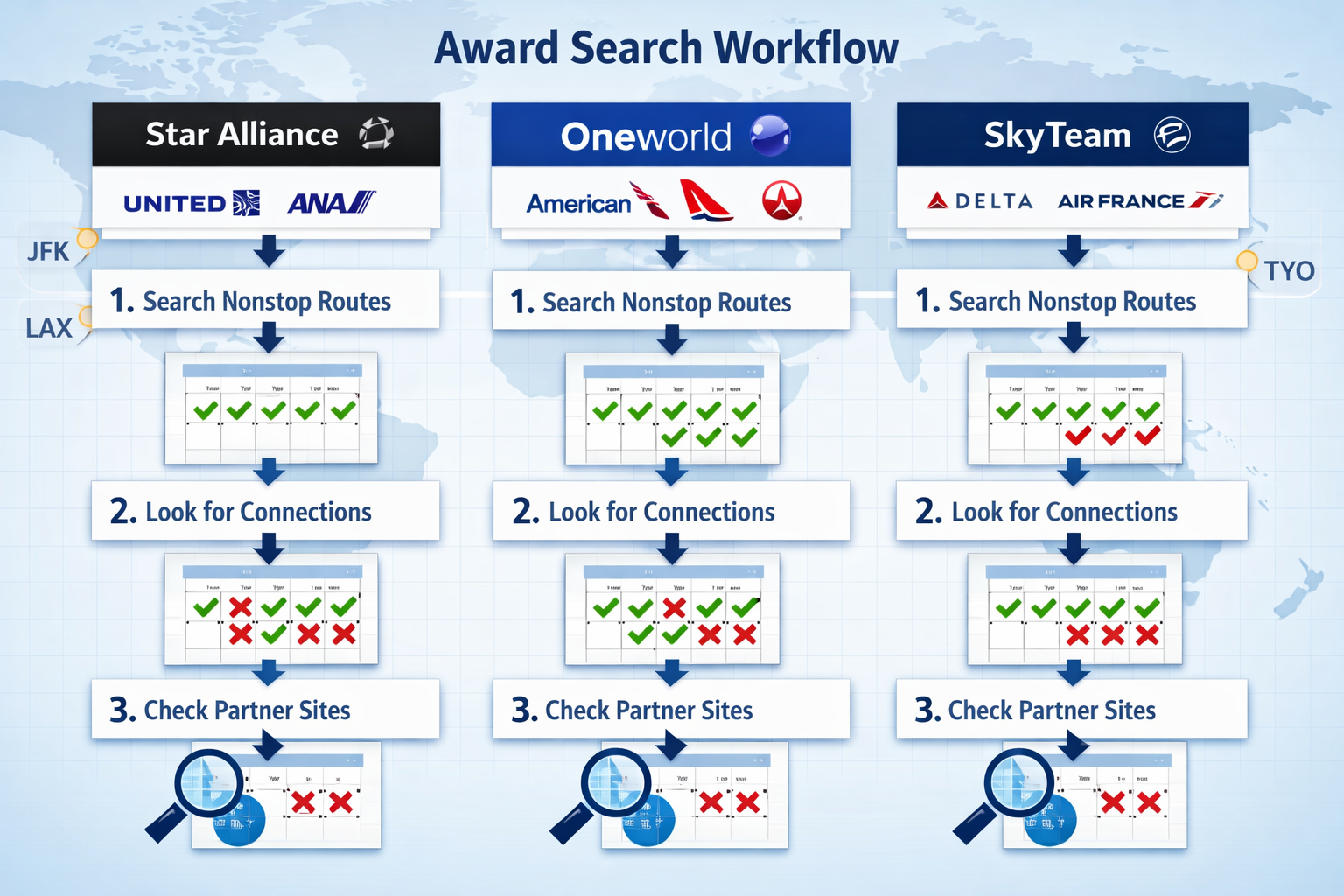
The best ways to find partner award space start with understanding that each alliance has different search tools with varying levels of accuracy and completeness. Searching randomly across multiple airline websites wastes time and creates confusion about what’s actually available.
Star Alliance: Your Primary Search Tools
Start here: United.com (MileagePlus account required, but no points needed to search)
United displays the most comprehensive Star Alliance award inventory, including partner space on Lufthansa, Swiss, Austrian, ANA, Singapore Airlines, and others. The calendar view shows up to 11 months of availability at a glance.
Search sequence:
- United.com calendar view for broad availability patterns
- Aeroplan (Air Canada) for additional verification, especially on routes that United doesn’t serve
- Avianca LifeMiles for last-resort confirmation (clunky interface, but sometimes shows space others don’t)
Common quirk: Lufthansa Group carriers (Lufthansa, Swiss, Austrian) often don’t release long-haul business and first class space to U.S. partner programs until 14 days before departure. Search for these routes closer to travel dates rather than at the standard 330-day window.
Oneworld: Multiple Lenses on the Same Inventory
Start here: Qantas.com (free frequent flyer account) or British Airways (ba.com)
You may be interested



Both show excellent Oneworld partner space, but with different strengths:
- Qantas: More accurate for American Airlines space, better calendar interface, shows more Alaska Airlines inventory
- British Airways: Faster search speed, better for short-haul European searches, calculates Avios pricing instantly
Search sequence:
- Qantas calendar view for a comprehensive monthly overview
- British Airways for quick date-specific confirmation
- American Airlines (aa.com) for routes AA operates—their own inventory sometimes doesn’t show on partner sites
Important limitation: Neither Qantas nor British Airways shows award space on Royal Air Maroc (Oneworld member), so you must search directly on their site or through Alaska Airlines.
SkyTeam: The Most Fragmented Search Experience
Start here: Air France/KLM Flying Blue (flyingblue.com)
SkyTeam has the least unified award search infrastructure. Flying Blue shows decent partner availability, but there are significant gaps.
Search sequence:
- Flying Blue for Delta, Air France, KLM, and Virgin Atlantic availability
- Delta.com (SkyMiles account) for Delta-operated flights and some partner space
- Korean Air (Skypass) for the most complete SkyTeam partner view—but requires calling to book most partners
Reality check: SkyTeam partner award searches often require more verification steps. If you see space on Flying Blue, it’s usually bookable. If you don’t see space but suspect it exists, try Korean Air’s search or call their award desk.
The 10-Minute Alliance Search Routine
For a specific route and date range:
- Minutes 0-3: Open the appropriate alliance tool, search your route in calendar view for ±3 days from ideal dates
- Minutes 3-5: If no space, expand to ±7 days and check gateway airports (see next section)
- Minutes 5-7: Break the route into segments (origin to hub, hub to destination) and search separately
- Minutes 7-9: Check alternative alliances if your points transfer to multiple programs
- Minutes 9-10: Set an alert if nothing works, or book the best available option if close enough
This structured approach prevents the common mistake of randomly clicking through dozens of date combinations across multiple sites without a clear decision framework.
Where Saver Space Hides: Gateways and Regional Hubs
Award availability isn’t distributed evenly across an airline’s network. Understanding where airlines consistently release saver-level space—and where they don’t—is one of the best ways to find partner award space that others overlook.
The Gateway Advantage
Major international gateways receive disproportionate award inventory because airlines use these routes to fill premium cabins and maintain alliance relationships. Secondary cities often see limited or no saver space.
Star Alliance gateways with consistent space:
- United hubs: Newark (EWR), San Francisco (SFO), Chicago (ORD), Washington Dulles (IAD)
- European hubs: Frankfurt (FRA), Munich (MUC), Zurich (ZRH), Vienna (VIE)
- Asian hubs: Tokyo Narita/Haneda (NRT/HND), Singapore (SIN), Seoul (ICN)
Oneworld gateways:
- American hubs: Dallas (DFW), Chicago (ORD), Charlotte (CLT), Philadelphia (PHL)
- Partner hubs: London Heathrow (LHR), Doha (DOH), Tokyo Haneda (HND), Hong Kong (HKG)
SkyTeam gateways:
- Delta hubs: Atlanta (ATL), Detroit (DTW), Minneapolis (MSP), New York JFK
- Partner hubs: Paris (CDG), Amsterdam (AMS), Seoul (ICN), Mexico City (MEX)
The Positioning Strategy
When you can’t find award space from your home airport to your destination, search gateway-to-destination first. If space exists there, book it, then add a separate positioning flight.
Example scenario: You want to fly from Austin (AUS) to Tokyo (HND) in ANA Business Class using Virgin Atlantic points.
- Direct search: AUS-HND shows no availability
- Gateway search: SFO-HND shows two business class seats available
- Solution: Book SFO-HND with points, purchase a cash ticket AUS-SFO (often $150-250), or use a separate award on American or Southwest
Why this works: Airlines release more premium cabin space on long-haul international flights than on domestic connections. The positioning flight is often cheap enough that the total cost beats paying for a revenue Business Class ticket or using significantly more points in another program.
Regional Hub Sweet Spots
Beyond major gateways, certain regional hubs consistently punch above their weight for award availability:
Underrated Star Alliance hubs:
- Brussels (BRU): United often shows availability here when London, Paris, and Frankfurt are sold out
- Copenhagen (CPH): SAS releases decent business class space to North America
- Istanbul (IST): Turkish Airlines (Star Alliance) has good availability but requires calling to book
Underrated Oneworld hubs:
- Madrid (MAD): Iberia often has space when British Airways doesn’t
- Helsinki (HEL): Finnair releases consistent availability to Asia via HEL
- Dublin (DUB): Aer Lingus (not Oneworld but bookable with Avios) offers good transatlantic space
Practical application: If searching from New York to Bangkok shows nothing, try New York to Copenhagen, then Copenhagen to Bangkok as separate searches. The space often exists when you break the journey at these hubs.
Married Segments and How to Break Them
One of the most frustrating technical barriers to finding award space is “married segment logic”—an airline inventory control system that artificially restricts how award seats appear in search results. Understanding this quirk is essential for finding the best ways to partner with award space.
What Are Married Segments?
Married segments occur when an airline treats a multi-leg journey as a single inventory unit rather than independent flights. The system might show no availability for Origin→Hub→Destination as a through ticket, even though both Origin→Hub and Hub→Destination show available award space when searched separately.
Real-world example: Searching Los Angeles (LAX) to Frankfurt (FRA) on United shows no Business Class saver awards. But searching LAX to Newark (EWR) shows four seats, and EWR to FRA shows two seats on a flight departing three hours later. The married segment logic hides this connection because United wants to preserve the LAX-FRA nonstop for revenue passengers.
How to Identify Married Segment Issues
Signs you’re hitting married segment restrictions:
- Direct search shows “No availability”
- Searching origin to hub shows space
- Searching from the hub to the destination shows space
- But searching origin to destination (connecting through that hub) shows nothing
Most common on:
- Routes where the airline operates both nonstop and connecting options
- High-demand city pairs during peak seasons
- Premium cabins (business and first class) are more than economy
Breaking Married Segments: The Workaround
Strategy 1: Book as separate one-way awards
Instead of searching LAX-FRA as one award, book:
- Award 1: LAX-EWR (stopover or connection)
- Award 2: EWR-FRA (same day or next day)
Tradeoffs:
- ✅ Unlocks hidden availability
- ✅ Provides flexibility if one segment cancels
- ❌ Costs more points (two one-ways vs. one round-trip)
- ❌ Requires managing two separate bookings
- ❌ No protection if the first flight is delayed and you miss your connection
Strategy 2: Use a different alliance partner’s search
Sometimes married segment logic applies only to the operating airline’s search engine. Example: United’s search hides LAX-FRA connections, but searching the same route on Aeroplan shows them.
Strategy 3: Build a stopover into your itinerary
Many programs allow free or low-cost stopovers. Instead of fighting married segments, embrace them: book LAX-EWR-FRA but add a 23-hour stopover in Newark. This often bypasses the restriction while giving you time to explore another city.
When Married Segments Actually Help
Not all married segment logic works against you. Sometimes it releases space on connections that wouldn’t be available as standalone flights.
Example: A regional flight from Portland (PDX) to San Francisco (SFO) might show no saver space when searched alone, but searching PDX-Tokyo with a connection through SFO suddenly shows availability on both segments. The system releases the domestic connection only when paired with the international flight.
Takeaway: Always search both ways—the complete journey and the individual segments—to see which reveals more space.
Verifying Bookability Before You Transfer Points
Seeing award space in a search engine doesn’t guarantee you can actually book it with your points. This verification step—often skipped by frustrated searchers—prevents the nightmare scenario of transferring points only to find the space disappeared or was never bookable through your program.
The Partner Bookability Problem
Not all airline partnerships are created equal. Some examples of common bookability gaps:
Chase Ultimate Rewards → United MileagePlus:
- ✅ Can book: Most Star Alliance partners shown on United.com
- ❌ Cannot book: Some Air Canada routes, certain Avianca flights
American Express → Aeroplan:
- ✅ Can book: Excellent access to Star Alliance and many non-alliance partners
- ❌ Cannot book: Some last-minute Lufthansa space, certain Ethiopian Airlines routes
Capital One → Turkish Airlines Miles&Smiles:
- ✅ Can book: Incredible access to Star Alliance at low rates
- ❌ Cannot book: Must call to book most partners (no online booking), language barriers
The Three-Step Verification Process
Step 1: Confirm space appears on the partner’s own search tool
If you plan to transfer Chase points to United, verify the space shows on United.com, not just Aeroplan or another Star Alliance search. If transferring to Virgin Atlantic, confirm it appears in Virgin’s search results, not just Delta’s.
Step 2: Check the booking rules for your specific program
Many programs publish partner award charts and booking restrictions. Review these before transferring, especially for:
- Advance booking requirements (some programs can’t book partners within 14 days)
- Cabin restrictions (some programs can’t book first class on certain partners)
- Routing rules (some programs prohibit backtracking or open-jaws on partner awards)
Step 3: Have a backup plan before transferring
Points transfers are usually instant but irreversible. Before clicking “transfer,” identify at least one alternative use for those points if your first-choice award disappears.
Example backup plan:
- Primary goal: Transfer 90,000 Amex points to ANA for business class to Tokyo
- Backup option 1: If ANA space disappears, use Virgin Atlantic (also an Amex partner) for the same route
- Backup option 2: If no Japan space exists, pivot to Singapore via Singapore Airlines (Amex partner)
- Backup option 3: Transfer to Hilton at 1:2 ratio for hotel stays instead
Tools to Verify Partner Space
Award search aggregators can save verification time:
- ExpertFlyer.com ($9.99/month): Shows real-time award inventory across multiple airlines, helpful for confirming space exists before transferring
- Seats.aero ($12/month): Searches multiple programs simultaneously and flags bookability issues
- PointsYeah ($12/month): Calendar-based search across Star Alliance, Oneworld, and some SkyTeam partners
When to use these tools: If you’re searching for a complex itinerary (multi-city, mixed cabin, or obscure routes) or planning to transfer a large points balance, the monthly subscription cost is worth the verification confidence.
When to skip them: For straightforward searches on major routes using programs you know well, the native airline search tools are sufficient.
The “Hold Before Transfer” Technique
Some programs allow you to hold award space before ticketing:
- United MileagePlus: Holds awards for 5 days (requires existing miles in account)
- Air Canada Aeroplan: Holds for 24 hours (requires existing points)
- Alaska Mileage Plan: Holds for 24 hours (requires existing miles)
Strategy: If you have even a small points balance in the target program (1,000-2,000 miles), search and place the award on hold. This locks the space while you transfer the remaining balance from your flexible points currency. The hold period gives you time to verify that the booking will process correctly.
Important limitation: Most programs require you to already have points in the account to place a hold. You can’t hold with zero balance, then transfer later.
Setting Alerts and Building an “Award Watchlist”
When you can’t find award space for your desired dates, manually checking every day wastes time and leads to missed opportunities. Automated alerts and a structured watchlist approach turn the search from reactive to proactive.
Award Alert Services: What They Monitor
Paid alert services continuously monitor award inventory and notify you when space opens:
ExpertFlyer ($9.99-$99.99/year depending on features):
- Monitors specific flights for award availability changes
- Sends email/SMS when space opens
- Best for: Monitoring specific flights when you have fixed dates
AwardFares ($9.99/month):
- Broad route and date range monitoring
- Calendar view of availability trends
- Best for: Flexible dates, discovering patterns
Seats.aero ($12/month):
- Multi-program search with alerts
- Shows which programs can book the found space
- Best for: Complex itineraries across multiple programs
Building Your Award Watchlist Strategy
Rather than setting random alerts, build a structured watchlist based on your travel goals and points portfolio.
Watchlist framework:
Tier 1: Committed trips (dates and destination fixed)
- Set daily alerts for specific flights
- Monitor 2-3 alternative routing options
- Check manually every 3-4 days in addition to alerts
Tier 2: Flexible aspirational trips (destination fixed, dates flexible within a season)
- Set weekly alerts for broad date ranges
- Monitor gateway airports in addition to the preferred departure city
- Review monthly to identify patterns
Tier 3: Opportunistic redemptions (no specific plan, but would book if a great value appears)
- Set alerts for known sweet spots (e.g., ANA first class, Lufthansa business to Europe)
- Review only when alert triggers
- Have points ready to transfer immediately
When to Set Alerts vs. Keep Searching
Set alerts when:
- You’re searching more than 6 months out (space hasn’t been released yet)
- Your dates are inflexible, and current availability is zero
- You’re monitoring for schedule changes that might open new space
- You want to track pricing/availability trends for future planning
Keep searching manually when:
- You’re within 2-3 months of travel (space changes frequently)
- You have flexible dates and can adjust based on what’s available now
- You’re searching for short-haul or domestic routes (less inventory complexity)
The Award Calendar Approach
Instead of searching random dates, use calendar tools to identify patterns:
United’s calendar view shows 11 months of Star Alliance availability. Patterns to look for:
- Certain days of the week consistently show space (e.g., Tuesdays and Wednesdays on business routes)
- Seasonal trends (more space in shoulder seasons)
- Sudden availability clusters (often indicate schedule changes or new inventory release)
British Airways Avios calendar for Oneworld shows similar patterns, particularly useful for American Airlines routes.
Actionable insight: If you see that Wednesdays consistently have Business Class space on your desired route, but your preferred Friday doesn’t, consider adjusting travel plans rather than waiting for Friday space that may never appear.
Advanced Tricks: Open-Jaw and Mixed-Cabin Searches

Once you’ve mastered the basic search workflow, these advanced techniques unlock additional availability and often better value from your points.
Open-Jaw Itineraries: Finding Space Others Miss
An open-jaw award flies into one city and returns from another (e.g., fly to London, return from Paris). Many programs price these the same as round-trip tickets, but they often reveal more availability.
Why open-jaws find more space:
- You’re searching two different routes instead of forcing the same route twice
- Popular destinations often have better availability from secondary cities
- You can position to the city with better award space
Example scenario: You want to visit Italy but can’t find business class space to Rome (FCO).
Standard search: New York (JFK) to Rome, round-trip = no availability
Open-jaw search:
- Outbound: JFK to Milan (MXP) = 2 seats available
- Return: Rome (FCO) to JFK = 2 seats available
- Ground transportation: Train from Milan to Rome ($50)
- Result: Same vacation, found space by splitting the routing
Programs with good open-jaw policies:
- Aeroplan (allows open-jaws plus a stopover)
- United MileagePlus (prices open-jaws same as round-trips)
- Alaska Mileage Plan (excellent open-jaw flexibility)
Mixed-Cabin Awards: Premium at Coach Prices
Some programs allow you to mix cabins on a single award ticket, charging based on the highest cabin flown or a blended rate.
Where this creates value:
- Long-haul in business class, short-haul in economy (comfortable where it matters)
- Outbound in premium, return in economy (enjoy the vacation start, save points on the tired flight home)
- One direction has no premium space, but you still want to book
Best programs for mixed-cabin:
Aeroplan: Prices are based on distance and cabin, so mixing cabins on different segments can save significant points
United: Prices each segment individually, so mixing cabins only makes sense if one direction has no premium space
Alaska: Prices based on partner and cabin, with some quirky sweet spots when mixing cabins on certain partners
Example: San Francisco to Singapore on Singapore Airlines
- Outbound: Business class (SFO-SIN direct, 13 hours) = 92,500 Alaska miles
- Return: Premium Economy (SIN-SFO, 14 hours) = 50,000 Alaska miles
- Total: 142,500 miles vs. 180,000 for round-trip business
- Savings: 37,500 miles (26% reduction) by accepting premium economy on the return when you’re tired anyway
The Nested Positioning Trick
Combine positioning flights with stopovers to create complex itineraries at simple award prices.
Example using Aeroplan’s stopover rules:
Goal: Visit both Japan and Thailand on one award
Simple booking: New York to Tokyo, separate award Tokyo to Bangkok = 2 awards, ~150,000 points total
Nested positioning:
- Book NYC-Bangkok as the “main” award with a stopover in Tokyo
- Route: NYC-SFO (positioning) – SFO-Tokyo (stopover) – Tokyo-Bangkok (destination)
- Cost: 90,000 Aeroplan points for the entire itinerary
- Savings: 60,000 points vs. booking separately
Requirements:
- Understand your program’s stopover and routing rules
- Verify all segments show availability before booking
- Ensure connection times meet minimum requirements
The “Hidden City” Award Search
This technique is controversial and carries risks, but it can reveal availability in certain situations.
Concept: Sometimes searching Origin to Further Destination shows space, but Origin to Intended Destination (a stop along the way) shows nothing.
Example:
- Search: Los Angeles to London = no business class space
- Search: Los Angeles to Frankfurt (connecting through London) = 2 Business Class seats
The question: Can you book LAX-LHR-FRA but get off in London?
Answer: Technically possible on one-way awards, but:
- ❌ Violates airline terms of service
- ❌ Checked bags continue to the final destination
- ❌ Remaining segments auto-cancel if you no-show
- ❌ Risk of account closure if done repeatedly
Recommendation: Use this search technique to identify that space exists, then call the airline and ask if they can book you on just the first segment. Sometimes they can, sometimes they can’t, but asking is legitimate.
Better alternative: Book the full routing, take the connection, and enjoy both cities. Many programs allow stopovers, making this legitimate and often more valuable than the hidden-city approach.
A 10-Minute Checklist for Repeatable Results
The best ways to find partner award space become second nature when you follow a consistent process. This checklist distills the entire workflow into a repeatable routine.
Pre-Search Preparation (2 minutes)
☑️ Define your parameters:
- Exact dates or flexible range? (±3 days, ±7 days, entire month)
- Fixed destination or flexible? (specific city vs. region)
- Cabin preference: economy only, business/first only, or flexible?
- Maximum connection tolerance: nonstop only, one connection, or any routing?
☑️ Identify your points currency:
- Which flexible points do you have? (Chase, Amex, Capital One, Citi, Bilt)
- Which transfer partners serve your route?
- Do you have existing miles in any programs?
☑️ Check transfer bonuses:
- Are any current transfer bonuses relevant to your route? Transfer bonuses can increase value 15-40%
- Do bonuses expire soon, creating urgency?
Primary Search (4 minutes)
☑️ Minute 1: Alliance identification
- Which alliance serves your route best?
- Open the primary search tool for that alliance (United for Star Alliance, Qantas for Oneworld, Flying Blue for SkyTeam)
☑️ Minute 2: Calendar view scan
- Search your route in calendar view
- Scan ±7 days from ideal dates
- Note any patterns (certain days consistently available)
☑️ Minute 3: Gateway expansion
- If no space from the origin, search from the nearest gateway
- If no space to the destination, search to major hub in that region
☑️ Minute 4: Segment breakdown
- Search the origin to the hub separately
- Search the hub for the destination separately
- Compare availability when searched as separate segments vs. through routing
Decision Point (2 minutes)
☑️ Evaluate what you found:
If you found an acceptable space:
- Verify it appears on your intended transfer partner’s search
- Check the points cost vs. your budget
- Confirm connection times are reasonable
- Proceed to booking verification
If you found nothing:
- Expand date range to ±14 days
- Try alternative alliances
- Consider mixed-cabin or open-jaw options
- Set alerts if too far in advance
If you found suboptimal space (wrong cabin, inconvenient times, too many connections):
- Evaluate: Is this “good enough” or worth waiting?
- Calculate the cost difference between this option and the alternatives
- Consider booking this as backup while continuing to search
Verification and Booking (2 minutes)
☑️ Pre-transfer verification:
- Confirm space still shows available
- Check partner booking rules for your program
- Verify you have enough points after the transfer
- Review cancellation policy in case plans change
☑️ Execute the booking:
- Transfer points (if not already in program)
- Book immediately after the transfer completes
- Screenshot confirmation
- Add to calendar with confirmation number
☑️ Post-booking:
- Set an alert for schedule changes
- Add frequent flyer numbers if not auto-populated
- Review seat selection and upgrade options
- Note cancellation deadline if booking a refundable award
When the Checklist Fails
If you’ve completed this checklist and still found nothing, you’re facing one of these situations:
1. Space hasn’t been released yet (searching too far in advance)
- Solution: Set alerts, check back at 330 days, 90 days, and 14 days out
2. Route has genuinely limited award space (ultra-popular routes during peak season)
- Solution: Expand dates, use positioning flights, or consider alternative destinations
3. Program-specific restrictions (Lufthansa not releasing space to partners, etc.)
- Solution: Research program-specific release patterns or book closer to departure
4. You need to expand your points portfolio
- Solution: Your current transfer partners may not serve this route well—consider diversifying
Common Mistakes That Cost Time and Points
Even experienced searchers fall into these traps. Avoiding them is as important as following the best practices above.
Mistake 1: Transferring Points Before Confirming Bookability
The error: Seeing space on an airline search tool, immediately transferring points, then discovering that specific space isn’t bookable through your program.
Real example: Finding Lufthansa first class on United.com, transferring Chase points to United, then learning that Lufthansa releases that space only to their own Miles & More program, not to partners.
Prevention: Always verify that the space is available in your intended booking program’s search before transferring. When in doubt, call the program’s award desk and ask them to confirm they see the space.
Mistake 2: Ignoring Fuel Surcharges Until After Booking
The error: Booking an award ticket that costs 60,000 points, then discovering $800 in fuel surcharges at checkout.
Common culprits: British Airways charges high surcharges on its own flights and on some partner flights. Virgin Atlantic charges significant surcharges on many routes. Air France/KLM Flying Blue adds substantial fees on their own metal.
Prevention: Before finalizing any award booking, proceed to the payment screen to see the total cash required. If surcharges are high, search for alternative routings on partners that don’t pass along fuel surcharges (e.g., book Oneworld awards through Alaska instead of British Airways).
Mistake 3: Searching Only Your Departure City
The error: Repeatedly searching from your home airport, never considering that driving or positioning to a nearby city might unlock significantly more availability.
Example: Living in Sacramento (SMF) and only searching SMF-Europe, missing that San Francisco (90 minutes away) has 10x more award availability and frequent positioning flights.
Prevention: Always search from at least one major gateway within 3 hours of your location. Calculate the positioning cost (cash ticket or separate award) and factor it into your decision.
Mistake 4: Giving Up After One Alliance Search
The error: Searching only Star Alliance because you have Chase points, not realizing that transferring to an Oneworld or SkyTeam partner might offer better availability or value for your specific route.
Example: Finding no United business class to Tokyo, but Virgin Atlantic (a partner of ANA and also a Chase transfer partner) shows multiple options at similar point costs.
Prevention: Understand all transfer partners for your flexible points currency and search at least two alliances before concluding that no space exists.
Mistake 5: Booking Complex Itineraries Online Without Calling
The error: trying to book a multi-city award ticket with a stopover on an airline website, getting error messages, and assuming it’s not possible.
Reality: Many programs allow complex routings that their websites can’t process. Phone agents can manually build itineraries that online systems reject.
Prevention: For anything beyond a simple round-trip, call the award desk. Yes, hold times can be long, but agents can often see and book space that doesn’t appear online, waive certain fees, or construct routings the website won’t accept.
Mistake 6: Ignoring Partner-Specific Booking Windows
The error: Searching for award space 330 days out (the standard booking window for many programs) without realizing that specific partners release space on different schedules.
Partner-specific windows to know:
- Qantas: Releases to partners at 353 days (earlier than most)
- Lufthansa Group: Often releases long-haul premium space to partners only 14 days out
- Air France: Sometimes releases additional space 2-3 weeks before departure
- American Airlines: Releases more space to partners 14 days out
Prevention: Research the specific release patterns for your desired partner airline, then search at those intervals rather than just at the standard booking window.
Conclusion: From Frustration to Consistent Success
The best ways to find partner award space aren’t about luck—they’re about following a systematic workflow that accounts for how award inventory actually works. By searching the right tools for each alliance, understanding where space consistently appears, breaking through married segment restrictions, and verifying bookability before transferring points, you transform award searching from a frustrating guessing game into a repeatable process.
Your action plan for the next award search:
- Start with structure: Use the 10-minute checklist rather than random clicking across multiple sites
- Think gateways first: Search major hubs before secondary cities, and be willing to position separately
- Break the journey: Search segments individually when direct searches show nothing—married segments often hide available space
- Verify before transferring: Always confirm space appears on your intended booking program’s search tool
- Set alerts strategically: Use automated monitoring for trips you can’t book today, freeing your time for searches that can book now
The difference between searchers who consistently find space and those who don’t isn’t access to secret tools or insider connections. It’s understanding the technical quirks of award inventory systems and following a disciplined search process that accounts for them.
Award availability will always have constraints—airlines release limited saver space, popular routes fill quickly, and programs continue to devalue. But with the workflow outlined in this guide, you’ll find the space that exists far more efficiently than the casual searcher clicking through random dates and hoping for the best.
Start with one route you’ve been struggling to book. Apply the alliance-specific search workflow, check gateway airports, break the segments, and see what appears. The space is often there—you just need to know where to look.


Content on Award Travel Hub is independently created by Award Travel Hub Editorial Desk and, where noted, reviewed by Award Travel Hub Review Desk. Some pages may contain affiliate links, but compensation does not determine our coverage, opinions, or methodology.