
When SeatGuru shut down in 2022, thousands of frequent travelers lost their go-to resource for finding the best airplane seats. That gap created an opportunity: today’s best airline seat selection tools are more sophisticated, data-rich, and user-friendly than ever before. Whether you’re booking a 14-hour business class award flight to Tokyo or trying to avoid a middle seat on a domestic hop, the right seat selection tool can mean the difference between arriving refreshed and landing exhausted.
For points and miles enthusiasts who’ve worked hard to accumulate transferable points and secure premium cabin awards, choosing the optimal seat maximizes the value of every redemption. A poorly chosen seat can undermine even the best award booking—think cramped legroom in business class, proximity to lavatories, or seats that don’t recline. The best airline seat selection platforms in 2026 offer interactive seat maps, real-time configuration updates, crowdsourced reviews, and AI-powered recommendations that help you make informed decisions before you transfer points or confirm your booking.
This guide covers the top seat selection tools available in 2026, with step-by-step walkthroughs, feature comparisons, and practical strategies for maximizing comfort and value on your next flight.
Key Takeaways
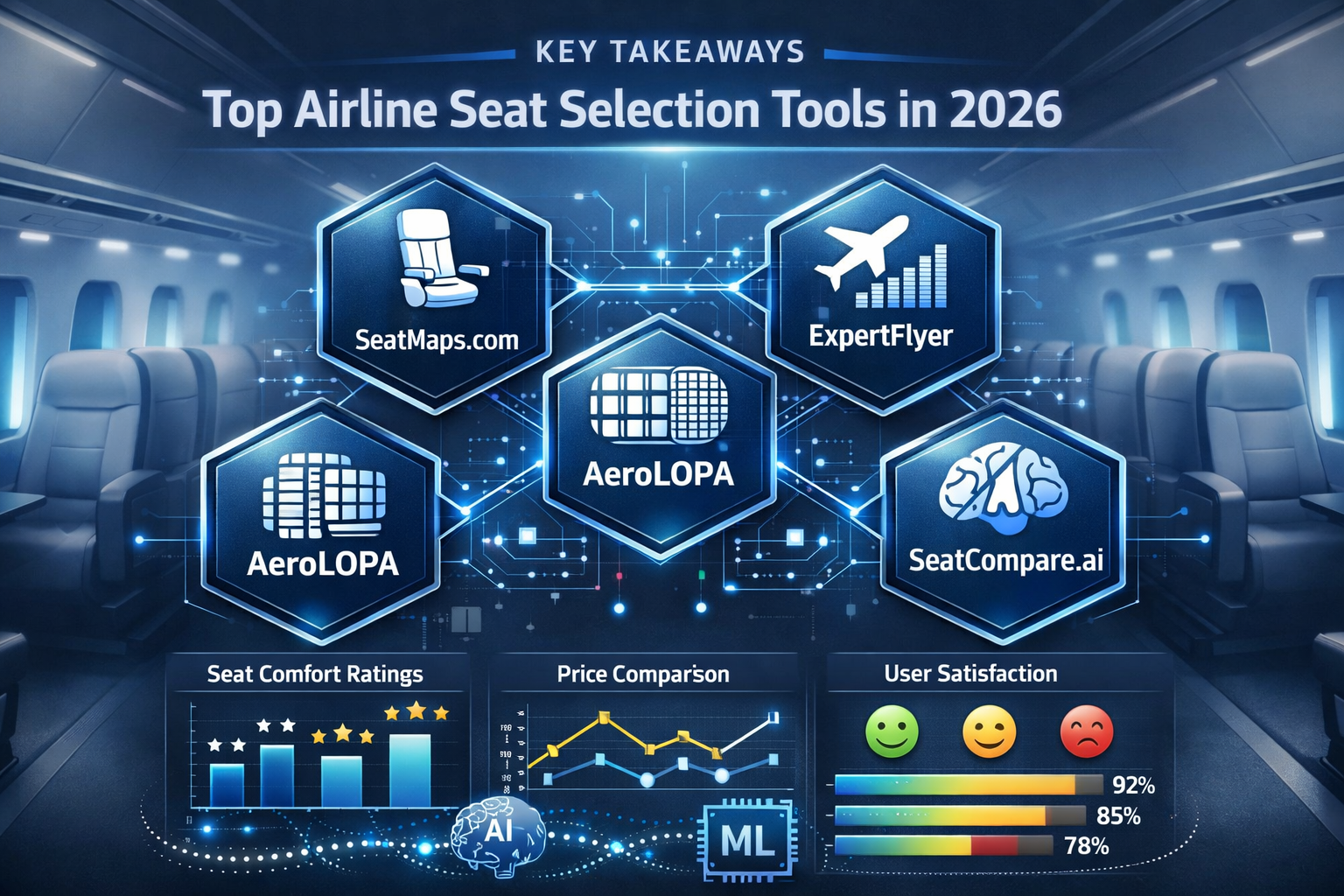
- Five leading platforms have replaced SeatGuru: SeatMaps.com, ExpertFlyer, AeroLOPA, SeatCompare.ai, and SeatMaestro. Each offers unique features for airline seat selection
- Timing matters: Book seats as early as possible, but check again 24-48 hours before departure when airlines release additional inventory
- Tool combinations work best: Use multiple platforms to cross-reference seat data, especially for international carriers and aircraft configuration changes
- Mobile access is essential: Most tools now offer responsive mobile interfaces or dedicated apps for on-the-go seat changes
- Premium features pay off: Paid tiers provide real-time alerts, detailed amenity information, and historical seat availability data that justify the cost for frequent travelers
Why SeatGuru Shut Down and What Changed in the Airline Seat Selection Landscape
SeatGuru, owned by TripAdvisor, ceased operations in mid-2022 after nearly two decades as the dominant airline seat map resource. The shutdown stemmed from declining investment in updates, outdated aircraft configurations, and the rise of more dynamic, community-driven alternatives.
What travelers lost:
- Centralized seat map database covering 1,200+ aircraft types
- Color-coded seat ratings (green/yellow/red system)
- User-submitted reviews and photos
- Integration with flight search tools
What emerged in its place:
The vacuum left by SeatGuru’s closure accelerated innovation in the airline seat-selection space. New platforms launched with modern tech stacks, real-time airline data feeds, and AI-powered recommendation engines. Existing tools like ExpertFlyer expanded their seat map offerings. Community-driven platforms gained traction as travelers sought crowdsourced insights.
The 2026 landscape is more fragmented but ultimately more powerful. Instead of relying on a single aging platform, travelers can now access specialized tools optimized for different use cases: real-time availability tracking, detailed amenity comparisons, mobile-first interfaces, and personalized comfort scoring.
Key improvements in modern seat selection tools:
- Real-time updates: Direct airline data feeds ensure seat maps reflect actual configurations, not outdated diagrams
- Mobile optimization: Responsive design and native apps enable seat changes during travel
- Personalization: AI algorithms recommend seats based on your preferences (window vs. aisle, legroom priority, quiet zones)
- International coverage: Better representation of non-U.S. carriers and regional aircraft
- Visual enhancements: 3D cabin renderings, photo galleries, and video walkthroughs
Overview of the Best Tools for Airline Seat Selection in 2026
The current market offers five standout platforms, each with distinct strengths. Here’s how they compare at a glance:
| Tool | Best For | Price | Key Feature | Mobile App |
|---|---|---|---|---|
| SeatMaps.com | Comprehensive free option | Free | Extensive aircraft database | Responsive web |
| ExpertFlyer | Award availability + seat tracking | $9.99-$99/year | Real-time seat alerts | iOS/Android |
| AeroLOPA | Visual seat layouts | Free | 3D cabin views | Responsive web |
| SeatCompare.ai | AI-powered recommendations | $4.99/month | Personalized scoring | iOS/Android |
| SeatMaestro | Premium travelers | $14.99/month | Detailed amenity data | iOS/Android |
Decision framework:
- Budget-conscious travelers: Start with SeatMaps.com and AeroLOPA (both free)
- Frequent award bookers: ExpertFlyer’s combined seat and award availability tracking justifies the annual fee
- Tech-forward users: SeatCompare.ai’s AI recommendations and mobile-first design offer the best user experience
- Premium cabin flyers: SeatMaestro’s granular business/first class seat details provide maximum value
- International travelers: Use multiple tools to cross-reference configurations on non-U.S. carriers
The following sections provide detailed walkthroughs for each platform, including setup steps, feature breakdowns, and practical booking scenarios.
SeatMaps.com: The Comprehensive Free Alternative
Overview:
SeatMaps.com emerged as the leading free alternative to SeatGuru, offering detailed seat maps for over 1,300 aircraft configurations across 175 airlines. The platform relies on a combination of airline-provided data and community contributions to maintain accuracy.
Step-by-Step Guide to Using SeatMaps.com
Step 1: Navigate to the search interface
Visit SeatMaps.com and use the search bar to enter your airline name or flight number. The autocomplete function helps identify the correct carrier.
Step 2: Select your aircraft type
Choose your specific aircraft from the dropdown menu. This is critical—a Boeing 777-300ER can have 5+ different configurations depending on the airline. Verify your aircraft type against your booking confirmation or the airline’s website.
Step 3: Review the seat map
The color-coded map displays:
- 🟢 Green seats: Good options with standard or above-average features
- 🟡 Yellow seats: Acceptable with minor drawbacks
- 🔴 Red seats: Avoid—limited recline, proximity to lavatories, reduced legroom
- ⚪ Gray seats: Premium seats requiring extra payment
Step 4: Click individual seats for details
Each seat displays:
- Seat pitch (distance between rows)
- Seat width
- Recline information
- Proximity to galleys, lavatories, and exits
- Power outlet availability
- Entertainment system type
Step 5: Read community reviews
Scroll below the map to view traveler-submitted reviews. Sort by date to prioritize recent feedback, especially important given frequent aircraft reconfigurations.
Key Features and Benefits
✅ Extensive database: Covers major and regional carriers worldwide
✅ No registration required: Instant access without creating an account
✅ Mobile-responsive: Works well on smartphones and tablets
✅ Community photos: Visual confirmation of seat conditions and amenities
✅ Free forever: No paywalls or premium tiers
Limitations:
- Updates can lag behind aircraft reconfigurations (typically 2-4 weeks)
- No real-time seat availability tracking
- Limited filtering options (can’t filter by legroom requirements)
- No personalized recommendations
Practical Example: Booking a Transatlantic Business Class Award
Scenario: You’ve transferred 70,000 Chase points to United MileagePlus for a Newark to London business class award on a Boeing 767-300ER.
Using SeatMaps.com:
- Search “United Airlines Boeing 767-300ER”
- Select the Polaris business class configuration (installed 2019+)
- Identify seats 6A and 6K (window seats with direct aisle access in 1-1-1 configuration)
- Avoid seats in row 1 (galley noise) and row 16 (last row, limited recline)
- Check community reviews confirming 6A offers good storage and minimal foot traffic
Value calculation: Choosing 6A over a center section seat (9B) improves your sleep quality on the 7-hour flight. For a redemption worth approximately $3,500 in cash, optimizing seat selection adds meaningful value to your points transfer.
Common Mistakes to Avoid
❌ Not verifying aircraft type: Airlines operate multiple configurations of the same aircraft model
❌ Ignoring recent reviews: Aircraft undergo refurbishments that change seat quality
❌ Overlooking exit row tradeoffs: Extra legroom often comes with no recline and reduced seat width
ExpertFlyer: Real-Time Seat Availability and Award Tracking
Overview:
ExpertFlyer has been the gold standard for serious award travelers since 2003. While primarily known for award availability searches, its seat map and alert features make it one of the best tools for airline seat selection platforms for frequent flyers.
Step-by-Step Guide to Using ExpertFlyer
Step 1: Create an account and choose a subscription tier
- Basic (Free): Limited seat map access, no alerts
- Premium ($9.99/month or $99/year): Full seat maps, 40 alerts, award availability searches
- Premium Plus ($14.99/month or $149/year): 200 alerts, priority support
Step 2: Search for your flight
Enter your flight number and date in the “Flight Availability” search. ExpertFlyer displays real-time seat availability across all cabin classes.
Step 3: Access the seat map
Click the “Seat Map” icon next to your flight. The interactive map shows:
- Available seats (white)
- Occupied seats (gray)
- Blocked seats (red)
- Premium seats (color-coded by type)
Step 4: Set up seat alerts
Click “Create Alert” to monitor specific seats. ExpertFlyer sends email notifications when your desired seat becomes available—crucial for snagging premium seats released close to departure.
Step 5: Cross-reference with award availability
Use the same search to check seat availability for your award flight. This integrated view helps you coordinate seat selection with point transfers.
Key Features and Benefits
✅ Real-time data: Direct feeds from airline reservation systems
✅ Seat alerts: Automated monitoring of seat availability changes
✅ Award availability integration: Combined seat and award space searches
✅ Alliance-wide searches: View seat maps across Star Alliance, oneworld, and SkyTeam partners
✅ Historical data: Track seat availability patterns over time
Limitations:
- Requires a paid subscription for full functionality
- Interface feels dated compared to newer platforms
- Mobile app lacks some desktop features
- Steep learning curve for new users
Practical Example: Monitoring Premium Economy Seats
Scenario: You’ve booked an economy award on Singapore Airlines’ A350 from San Francisco to Singapore using 85,000 KrisFlyer miles. You want to upgrade to premium economy if seats become available.
Using ExpertFlyer:
- Set up a seat alert for premium economy rows 31-35
- Monitor daily for 2 weeks before departure
- Receive an alert that seat 32A (window) opens up 5 days before departure
- Log into Singapore Airlines website immediately
- Pay the upgrade fee ($250) to secure 32A
Value calculation: Premium economy on this 16-hour flight offers 38″ pitch vs. 32″ in economy, plus enhanced meal service. The $250 upgrade cost equals roughly 0.3 cents per mile if you value the comfort improvement—a reasonable tradeoff for a long-haul flight.
Advanced Strategies for ExpertFlyer Users
Strategy 1: Positioning flight optimization
Search seat maps on connecting flights to ensure comfortable positioning flights before long-haul premium cabin segments. A cramped 3-hour domestic connection can diminish the value of a business class award.
Strategy 2: Aircraft swap monitoring
Set alerts for your flight number to detect changes to aircraft assignments. Airlines sometimes swap in different aircraft types with better or worse seat configurations.
Strategy 3: Elite upgrade tracking
Monitor first class seat availability on routes where you’re waitlisted for complimentary upgrades. Seeing seats open up helps gauge your chances of upgrading.
AeroLOPA: Visual Aircraft Layouts and 3D Cabin Views
Overview:
AeroLOPA (Aircraft Layout and Passenger Accommodation) focuses on visual seat layouts with detailed cabin diagrams and 3D renderings. The platform excels at helping travelers understand spatial relationships and cabin configurations.
Step-by-Step Guide to Using AeroLOPA
Step 1: Browse by airline or aircraft
Navigate to AeroLOPA.com and choose either “Airlines” or “Aircraft Types” from the menu. The aircraft-focused approach helps when you know your plane but not the specific carrier configuration.
Step 2: Select your specific configuration
Airlines often operate multiple versions of the same aircraft. Look for configuration identifiers like “Version 1,” “Version 2,” or date ranges indicating when the configuration was introduced.
Step 3: Explore the 3D cabin view
Click “3D View” to see a rendered walkthrough of the cabin. This perspective helps visualize:
- Cabin curvature and window alignment
- Galley and lavatory locations in 3D space
- Overhead bin placement
- Actual seat positioning relative to windows
Step 4: Review the detailed layout diagram
The 2D overhead view includes:
- Precise seat measurements
- Exit locations
- Bulkhead positions
- Crew rest areas
- Equipment closets
Step 5: Download the PDF layout
Save a PDF copy to your phone for offline reference during check-in or seat changes at the airport.
Key Features and Benefits
✅ 3D visualizations: Unique perspective on cabin layouts
✅ Detailed measurements: Exact seat pitch, width, and configuration data
✅ Printable layouts: Offline access during travel
✅ Historical configurations: Archive of older aircraft versions
✅ No ads or clutter: Clean, focused interface
Limitations:
- No community reviews or ratings
- Updates can be slow for new aircraft deliveries
- No mobile app (responsive web only)
- Limited amenity information (power, entertainment)
- No real-time availability data
Practical Example: Understanding Seat Alignment on Widebody Aircraft
Scenario: You’re booking a Japan Airlines 787-9 business class award using 60,000 Alaska miles from Los Angeles to Tokyo. You want a window seat with an actual window.
Using AeroLOPA:
- Navigate to Japan Airlines → Boeing 787-9 → Sky Suite III configuration
- Open the 3D cabin view
- Identify that rows 5 and 7 have better window alignment than row 6
- Note that seat 5A has a window directly adjacent, while 6A sits between windows
- Verify the 2D layout shows 5A is not near the galley
Value calculation: Window alignment matters on a 12-hour flight where you’ll spend hours gazing out or trying to sleep. Choosing 5A over 6A enhances your award experience without additional cost.
Best Practices for Visual Layout Analysis
Tip 1: Check bulkhead tradeoffs
Bulkhead seats offer extra legroom but often have fixed armrests (reduced width) and no underseat storage. The 3D view helps assess whether the tradeoff works for your needs.
Tip 2: Assess lavatory traffic patterns
3D views reveal which seats face lavatory queues. On long-haul flights, passengers congregating near lavatories can disrupt sleep in adjacent seats.
Tip 3: Evaluate galley noise exposure
Galleys generate noise throughout the flight. The spatial perspective helps identify seats far enough away to minimize disruption.
SeatCompare.ai: AI-Powered Personalized Seat Recommendations
Overview:
SeatCompare.ai launched in 2024 as the first AI-driven airline seat selection tool. The platform uses machine learning algorithms to generate personalized seat recommendations based on your preferences, body type, and travel patterns.
Step-by-Step Guide to Using SeatCompare.ai
Step 1: Create a traveler profile
Sign up and complete the preference questionnaire:
- Height and build (for legroom calculations)
- Window vs. aisle preference
- Sensitivity to noise and light
- Sleep vs. work priorities
- Mobility considerations
Step 2: Connect your airline accounts (optional)
Link frequent flyer accounts to automatically import upcoming bookings. The app pulls flight details and presents seat recommendations without manual searches.
Step 3: Input your flight details
Manually enter flight information if you prefer not to connect accounts. The AI engine retrieves the aircraft configuration and seat map.
Step 4: Review personalized recommendations
SeatCompare.ai displays a ranked list of seats with:
- Comfort score (0-100): Personalized rating based on your profile
- Pros and cons: Specific to your preferences
- Alternative suggestions: Similar seats if your top choice is unavailable
Step 5: Set smart alerts
Enable notifications for seat availability changes on your preferred seats. The AI monitors multiple seats simultaneously and prioritizes alerts based on your comfort score rankings.
Key Features and Benefits
✅ Personalized scoring: Recommendations tailored to your physical characteristics and preferences
✅ Mobile-first design: Intuitive app with superior UX
✅ Smart alerts: AI-prioritized notifications for optimal seats
✅ Multi-flight comparison: Compare seat quality across different flight options when booking
✅ Accessibility features: Specific recommendations for travelers with mobility needs
Limitations:
- Requires subscription ($4.99/month or $49/year)
- Newer platform with a smaller airline database than competitors
- AI recommendations sometimes overweight certain factors
- Limited community review integration
Practical Example: Optimizing for Sleep on a Red-Eye Flight
Scenario: You’re booking a red-eye from New York to Los Angeles in economy using 12,500 Avianca LifeMiles. Sleep quality is your priority.
Using SeatCompare.ai:
- Set profile preferences: “Sleep priority,” “Window seat,” “Minimal noise”
- Input flight details: American Airlines A321T, AA2, 11:59 PM departure
- Review AI recommendations:
- Seat 30A (Score: 94): Last row window, minimal foot traffic, wall to lean against
- Seat 12A (Score: 87): Mid-cabin window, good recline, but higher traffic
- Seat 8F (Score: 73): Aisle with extra legroom, but poor for sleep
- Select 30A based on the AI’s sleep-optimized recommendation
Value calculation: Better sleep on a 5.5-hour red-eye means arriving refreshed and productive. For business travelers, this can be worth hundreds of dollars in effective work time—significant value from a 12,500-mile redemption.
Understanding the AI Scoring Algorithm
Factors weighted in comfort scores:
- Legroom match: Compares your height to seat pitch and legroom
- Recline availability: Prioritizes seats with full recline for sleep-focused profiles
- Noise exposure: Distances from galleys, lavatories, and high-traffic areas
- Window alignment: Matches window preference with actual window positioning
- Proximity factors: Evaluates nearby passengers (families with children, high-traffic rows)
Common AI recommendations:
- Tall travelers: Exit rows, bulkheads, or premium economy with 34″+ pitch
- Light sleepers: Rear cabin windows away from lavatories
- Productivity focus: Aisle seats with power outlets and table space
- Mobility limitations: Bulkhead aisles with easier access
SeatMaestro: Premium Tool for Detailed Amenity Information
Overview:
SeatMaestro targets premium cabin travelers with granular details about Business and First Class seats. The platform’s strength lies in comprehensive amenity data, suite privacy comparisons, and bed length measurements—critical factors for long-haul premium redemptions.
Step-by-Step Guide to Using SeatMaestro
Step 1: Subscribe to the premium service
SeatMaestro offers a 7-day free trial, then $14.99/month or $149/year. The higher price reflects the specialized focus on premium cabin details.
Step 2: Search by route or airline
Enter your departure and arrival cities to see all airlines operating the route with premium cabin options. Alternatively, browse by airline to explore their entire premium cabin fleet.
Step 3: Compare premium cabin configurations
The side-by-side comparison tool displays:
- Seat/suite dimensions (length, width, bed length)
- Privacy levels (door, partition, open)
- Storage space
- Entertainment screen size
- Power outlet types and locations
- Amenity kit contents
- Bedding quality ratings
Step 4: Review expert assessments
SeatMaestro employs aviation journalists who fly and review premium cabins. Expert ratings cover:
- Sleep comfort (mattress pad quality, pillow selection)
- Dining experience (tableware, meal quality)
- Privacy and noise levels
- Service quality
- Ground experience (lounge access, priority boarding)
Step 5: Filter by specific amenities
Use advanced filters to find seats with:
- Direct aisle access
- Closing doors/maximum privacy
- Bed length >6’6″ (for tall travelers)
- Companion seating (for couples)
- Window views
Key Features and Benefits
✅ Premium cabin specialization: Unmatched detail for business and first class
✅ Expert reviews: Professional assessments from aviation journalists
✅ Comparison tools: Side-by-side evaluation of competing products
✅ Bed length data: Critical for tall travelers in lie-flat seats
✅ Privacy ratings: Detailed suite privacy comparisons
Limitations:
- Expensive compared to other tools
- Limited economy class coverage
- Smaller airline database (focuses on major international carriers)
- The desktop interface is more developed than the mobile app
Practical Example: Choosing Between Business Class Products
Scenario: You have 120,000 Amex points to transfer for a business class award from New York to Dubai. You’re comparing the Emirates A380, the Qatar Airways 777, and the Etihad 787.
Using SeatMaestro:
- Search “New York to Dubai business class”
- Compare the three options:
- Emirates A380: 1-2-1 configuration, 78″ bed, limited privacy (no door)
- Qatar Airways 777: 1-2-1 QSuite, 79″ bed, closing door, best for sleep
- Etihad 787: 1-2-1 configuration, 77″ bed, moderate privacy
- Review expert ratings:
- Qatar QSuite: 9.5/10 (best sleep quality, door privacy)
- Emirates: 8.5/10 (excellent service, but open suite)
- Etihad: 8.0/10 (good product, smaller screen)
- Check award availability:
- Qatar: 70,000 Avios via British Airways (with high fuel surcharges)
- Emirates: 85,000 Alaska miles (no fuel surcharges)
- Etihad: 115,000 American miles
- Decision: Transfer 85,000 Amex points to Alaska for Emirates, accepting slightly less privacy for better award availability and lower surcharges
Value calculation: SeatMaestro’s detailed comparison helps you weigh product quality against redemption cost. Saving 30,000 miles (Emirates vs. Etihad) is worth approximately $450-600 in points value, while the product difference is marginal for a 14-hour flight where you’ll sleep most of the way.
Advanced Premium Cabin Strategies
Strategy 1: Positioning for suite privacy
On aircraft with alternating privacy levels (such as Singapore A380 Suites), SeatMaestro identifies which seats offer the maximum seclusion. Seats 1A and 2A have different privacy characteristics—the tool explains why.
Strategy 2: Companion seating optimization
For couples redeeming points for business class, SeatMaestro identifies which products offer true double beds or adjacent suites with dividers that lower. This matters when choosing between British Airways Club Suites (no companion option) vs. Qatar QSuites (center pairs).
Strategy 3: Avoiding devaluation targets
Expert commentary often flags premium products likely to be devalued. If an airline introduces a new Business Class product, existing cabins may see award pricing increases—helpful context for timing your point transfers.
How to Maximize Seat Selection for Comfort, Perks, and Value
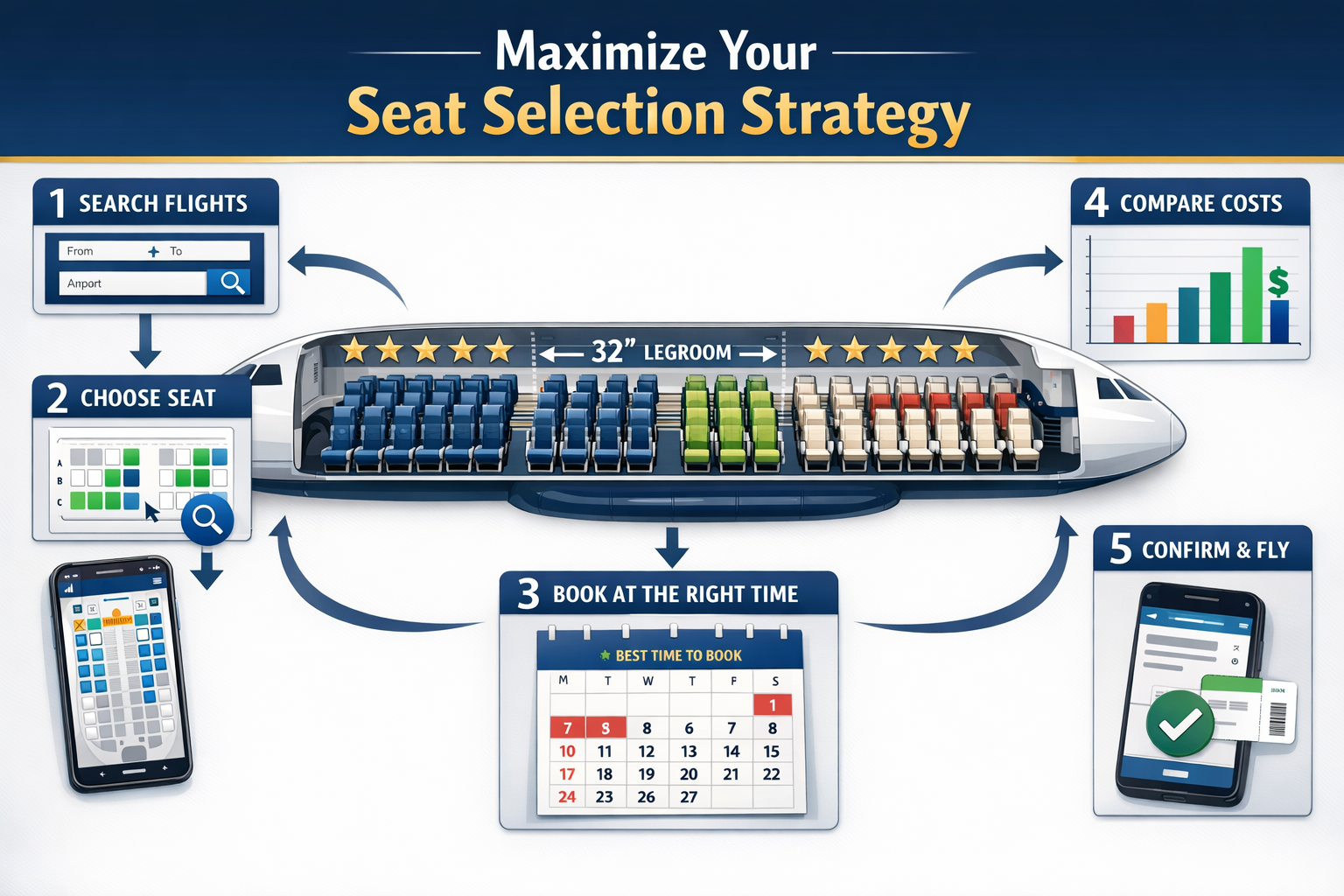
Beyond using individual tools, strategic seat selection requires understanding airline policies, timing windows, and hidden opportunities. Here’s a comprehensive framework for optimizing your airline seat selection approach.
Timing Strategy: When to Book and Monitor Seats
Initial booking (6-12 months out):
- Select the best available seat immediately, even if it’s not ideal
- Set alerts for preferred seats
- Note aircraft type and configuration
90 days before departure:
- Check for aircraft swaps
- Review seat availability changes
- Consider paying for premium seat assignments if the value justifies the cost
72 hours before departure:
- Airlines often release blocked seats
- Elite upgrade clearances process, opening seats
- Last chance for major seat changes
24 hours before departure:
- Online check-in opens
- Additional inventory released
- Mobile app check-in is often faster than the website
At the gate:
- Last-minute seat changes due to no-shows
- Gate agents can override some restrictions
- Polite requests for better seats sometimes succeed
Cost-Benefit Analysis: When to Pay for Seat Selection
Worth paying for:
- ✅ Extra legroom on flights >4 hours ($30-80)
- ✅ Exit rows for tall travelers ($40-100)
- ✅ Preferred seats on red-eyes ($20-50)
- ✅ Avoiding middle seats on long-haul international ($50-150)
Not worth paying for:
- ❌ Preferred seats on short flights <2 hours
- ❌ Minor position differences (row 12 vs. row 15 in economy)
- ❌ Seats that will likely open up closer to departure
- ❌ Premium economy upgrades that cost >30% of the base fare
Decision framework:
Calculate the value per hour of flight time. A $60 extra legroom seat on a 6-hour flight costs $10/hour—reasonable for comfort. The same $60 on a 90-minute flight costs $40/hour—excessive.
Seat Selection for Different Body Types and Needs
Tall travelers (6’2″+):
- Prioritize exit rows (36-40″ pitch)
- Bulkhead seats offer legroom but limited recline
- Check seat pitch data—some economy seats offer 33-34″ vs. standard 30-31″
- Consider premium economy upgrades (often 38″ pitch)
Plus-size travelers:
- Verify seat width (some economy seats are 17″ vs. 18″)
- Avoid seats with fixed armrests (bulkheads, exit rows)
- Consider purchasing an adjacent seat for comfort
- Use SeatCompare.ai’s body-type recommendations
Travelers with mobility limitations:
- Request bulkhead aisles for easier access
- Avoid exit rows (airlines prohibit if you can’t assist in evacuation)
- Notify the airline of wheelchair needs for appropriate seating
- Choose seats near accessible lavatories
Families with children:
- Bulkhead rows offer bassinet attachment points (infants)
- Rear cabin seats near the lavatories for frequent trips
- Avoid exit rows (age restrictions)
- Book early—airlines block adjacent seats for families
International vs. Domestic Seat Selection Strategies
International long-haul (>6 hours):
- Sleep optimization takes priority
- Window seats for leaning/sleeping
- Avoid galley and lavatory proximity
- Consider premium economy for a significant pitch increase
- Research aircraft-specific configurations (777-300ER varies widely by carrier)
Domestic short-haul (<3 hours):
- Aisle seats for quick deplaning
- Front cabin for faster exit
- Seat comfort is less critical
- Save money—don’t pay for preferred seats
Regional/budget carriers:
- Seat selection often costs extra—evaluate if the trip length justifies
- Aircraft configurations vary (some budget carriers have 28″ pitch)
- Exit rows may be the only reasonable option on ultra-low-cost carriers
- Consider paying for seat selection on >2 hours
Common Seat Selection Mistakes and How to Avoid Them
Mistake 1: Not verifying aircraft type
Airlines operate multiple configurations of the same aircraft model. A United 777-200 can have 3-4 different seat maps. Always verify your specific aircraft variant.
Solution: Cross-reference your flight number on multiple tools. Check the airline’s website 48 hours before departure for last-minute aircraft swaps.
Mistake 2: Ignoring seat map updates
Aircraft undergo refurbishments that change seat configurations. A seat map from 2023 may not reflect the reality in 2026.
Solution: Prioritize recent community reviews. Look for comments dated within the last 3-6 months. Set alerts to monitor configuration changes.
Mistake 3: Overlooking exit row restrictions
Exit rows require passengers to assist in emergencies. Airlines enforce age, language, and physical ability requirements.
Solution: Review exit row requirements before selecting. If you don’t meet the criteria, the airline will reassign you—often to a worse seat.
Mistake 4: Booking too early without monitoring
Selecting a seat 9 months before departure and never checking again means missing better options that open up.
Solution: Set recurring calendar reminders to check seat maps at 90 days, 30 days, 7 days, and 24 hours before departure.
Mistake 5: Assuming all window/aisle seats are equal
Seat position within the cabin dramatically affects the experience. A window seat in row 40, near the lavatories, differs vastly from one in row 15, mid-cabin.
Solution: Use tools like AeroLOPA to visualize cabin layout. Read reviews for specific seat numbers, not just general “window seat” feedback.
Mobile Apps and On-the-Go Seat Selection
Modern travel requires mobile-optimized seat selection tools. Here’s how to leverage mobile apps for last-minute changes and real-time monitoring.
Best Mobile-Optimized Tools
ExpertFlyer iOS/Android App:
- Real-time seat availability
- Push notifications for seat alerts
- Award space searches
- Works offline with cached data
SeatCompare.ai iOS/Android App:
- Best mobile user experience
- Quick seat recommendations
- Integrated with airline apps
- Biometric login for security
Airline Native Apps:
- Direct seat changes without third-party tools
- Often faster than websites
- Mobile check-in 24 hours before departure
- Gate notifications for last-minute changes
Mobile Seat Selection Workflow
Step 1: Enable push notifications
Allow seat alert apps to send notifications. Time-sensitive seat availability requires immediate action.
Step 2: Check seat maps during connections
Use airport WiFi or cellular data to monitor seat maps during layovers. Gate agents can make changes if better seats open.
Step 3: Screenshot your seat map
Save offline copies of seat maps for reference when WiFi is unavailable.
Step 4: Set location-based reminders
Use iOS/Android location triggers to remind you to check seat maps when arriving at the airport.
Airport Seat Change Strategies
At check-in kiosks:
- Review the seat map before printing the boarding pass
- Kiosks sometimes show seats unavailable online
- Make changes before bag drop
At the gate:
- Arrive early to speak with gate agents
- Politely explain your seat preference
- Agents have override capabilities for seat assignments
- No-shows often create last-minute opportunities
On the aircraft:
- Wait until boarding completes to assess empty seats
- Ask flight attendants about moving to empty rows
- Don’t move until after takeoff and the seatbelt sign turns off
Privacy, Data Protection, and Account Security
Seat selection tools require access to flight information and sometimes frequent flyer accounts. Understanding privacy implications protects your data and points.
What Data These Tools Collect
Basic tools (SeatMaps, AeroLOPA):
- Flight search queries
- Browser cookies
- IP address and location
Account-based tools (ExpertFlyer, SeatMaestro, SeatCompare.ai):
- Email address and profile information
- Flight booking details
- Frequent flyer numbers (if linked)
- Payment information (for subscriptions)
Security Best Practices
Use read-only access:
When linking frequent flyer accounts, use read-only credentials if available. Never share account passwords that allow points transfers or bookings.
Enable two-factor authentication:
Protect accounts with 2FA, especially for tools that store frequent flyer information.
Review connected apps regularly:
Audit which third-party tools have access to your airline accounts. Revoke access for unused services.
Use unique passwords:
Don’t reuse airline account passwords for seat selection tools. Use a password manager to generate unique credentials.
Monitor account activity:
Check frequent flyer account statements for unauthorized access or suspicious activity after linking third-party tools.
Data Retention and Deletion
Request data deletion:
Most tools comply with GDPR/CCPA regulations. Request account deletion when you stop using a service.
Understand data sharing:
Review privacy policies to see if tools share data with airlines or third-party advertisers.
Limit profile information:
Provide only necessary information. You don’t need to share your full travel history for basic seat recommendations.
Budget Airline Seat Selection Strategies
Ultra-low-cost carriers (Spirit, Frontier, Ryanair, easyJet) have unique seat selection policies that require different strategies.
Understanding Budget Carrier Seat Policies
Typical policies:
- All seat assignments cost extra (including random assignment)
- Prices vary by seat location ($5-50+)
- Families may be separated without paid seat selection
- Exit rows and front rows command premium prices
Decision framework:
- Flights <90 minutes: Accept random assignment (save $10-20)
- Flights 90-180 minutes: Consider paid selection if traveling with companions
- Flights >3 hours: Paid seat selection is usually worth it for comfort
Budget Carrier Seat Selection Tools
Most mainstream seat selection tools offer limited coverage for budget carriers. Alternative approaches:
Use airline native apps:
Budget carriers invest heavily in mobile apps. Their apps often show seat maps with real-time pricing.
Check ExpertFlyer:
Some budget carriers appear in ExpertFlyer’s database, though coverage is inconsistent.
SeatGuru archive:
While SeatGuru shut down, archived seat maps for budget carriers remain available via Wayback Machine for aircraft configuration reference.
Maximizing Value on Budget Carriers
Strategy 1: Wait for seat selection sales
Budget carriers occasionally offer discounted seat selection (50% off). Sign up for email alerts.
Strategy 2: Check in exactly at 24 hours
Some budget carriers release better seats at online check-in. Set an alarm for exactly 24 hours before departure.
Strategy 3: Pay for one seat, hope for adjacent
When traveling as a couple, pay for one preferred seat. The airline may assign the companion to avoid separating parties.
Strategy 4: Evaluate total trip cost
A $25 Spirit base fare plus $40 in seat selection fees equals $65—sometimes more than a legacy carrier fare with free seat selection. Run the math before booking.
Accessibility and Special Needs Seat Selection
Travelers with disabilities or special needs require specific seat characteristics. Here’s how to use seat selection tools for accessibility.
Mobility Assistance Seat Requirements
Optimal seat characteristics:
- Bulkhead aisle seats (easiest transfer from wheelchair)
- Proximity to accessible lavatories
- Movable armrests for easier transfers
- Sufficient space for service animals
Using tools for accessibility:
SeatCompare.ai:
Set profile to “Mobility assistance required.” The AI prioritizes:
- Bulkhead aisles
- Seats near accessible lavatories
- Rows with movable armrests
- Positions with extra maneuvering space
ExpertFlyer:
Search for bulkhead seats specifically. Set alerts for bulkhead aisle availability.
Direct airline contact:
Call airline accessibility services after booking. They can:
- Pre-assign appropriate seats
- Note wheelchair requirements
- Arrange for an onboard wheelchair
- Coordinate with airport staff
Sensory Sensitivity Considerations
For travelers with autism or sensory processing needs:
- Rear cabin seats (less crowded, easier to move around)
- Window seats (control over window shade, lean against the wall)
- Away from galleys and lavatories (reduced noise and traffic)
- Bulkhead seats (more personal space, less proximity to other passengers)
Tool recommendations:
AeroLOPA’s 3D views help visualize cabin layout and identify quieter zones. SeatCompare.ai can be configured to prioritize low-noise, low-traffic areas.
Medical Needs and Oxygen Requirements
Seat restrictions for passengers requiring oxygen:
- Cannot sit in exit rows
- Must be within 2 rows of an oxygen outlet
- Typically assigned in specific cabin sections
Process:
- Contact the airline medical desk before booking
- Provide physician documentation
- The airline assigns the appropriate seat
- Verify seat assignment on the seat map tools
- Confirm 48 hours before departure
Expert Recommendations and Decision Framework
After reviewing all available tools and strategies, here’s a practical decision framework for different traveler profiles.
For Occasional Travelers (1-4 flights/year)
Recommended tools:
- SeatMaps.com (free, comprehensive)
- AeroLOPA (visual layouts)
- Airline native apps
Strategy:
- Use free tools for basic seat selection
- Don’t pay for premium tool subscriptions
- Focus on avoiding bad seats rather than finding perfect seats
- Check seat maps 24 hours before departure for last-minute improvements
Expected time investment: 10-15 minutes per flight
For Frequent Travelers (12+ flights/year)
Recommended tools:
- ExpertFlyer ($99/year)
- SeatMaps.com (free backup)
- Airline native apps
Strategy:
- Set up seat alerts for all upcoming flights
- Monitor seat maps at booking, 30 days out, and 24 hours before departure
- Build relationships with gate agents for last-minute upgrades
- Consider paying for preferred seats on flights >3 hours
Expected time investment: 5 minutes per flight (after initial setup)
For Premium Cabin Award Travelers
Recommended tools:
- SeatMaestro ($149/year)
- ExpertFlyer ($99/year)
- SeatCompare.ai ($49/year)
Strategy:
- Research seat products before transferring points
- Use SeatMaestro to compare competing products
- Set ExpertFlyer alerts for award space and seat availability
- Book seats immediately upon award confirmation
- Monitor for aircraft swaps that downgrade product
Expected time investment: 30-45 minutes per award booking (research phase), 5 minutes monitoring
For Points and Miles Enthusiasts
Recommended tools:
- ExpertFlyer ($99-149/year)
- SeatCompare.ai ($49/year)
- SeatMaps.com (free)
Strategy:
- Integrate seat selection into the award search workflow
- Use ExpertFlyer to simultaneously search for award space and seat availability
- Factor seat quality into redemption value calculations
- Set alerts for both award space and preferred seats
- Consider positioning flights if they offer better aircraft/seats
Expected time investment: 20-30 minutes per award booking
Integration with Award Booking Strategy
For readers of Award Travel Hub, seat selection integrates directly with your award booking workflow. Here’s how to incorporate seat selection into your points transfer decisions.
Seat Selection During Award Search
Step 1: Identify available award space
Use ExpertFlyer or airline websites to find award availability on your desired route.
Step 2: Check aircraft configuration
Before transferring points, verify the aircraft type and seat configuration. A 777-300ER business class seat varies dramatically by airline.
Step 3: Evaluate seat availability
Use ExpertFlyer to view real-time seat maps. If all desirable seats are occupied, consider:
- Waiting for better availability
- Setting alerts for preferred seats
- Choosing an alternative flight with better seat options
Step 4: Calculate total redemption value
Factor seat quality into your cents-per-point (CPP) calculation:
- Premium business class product (Qatar QSuite): Higher effective CPP
- Older business class (angled-flat seats): Lower effective CPP
- Poor seat assignment (near lavatory): Reduced value
Transfer Bonus Considerations
When transfer bonuses are available (e.g., 30% bonus Amex to Virgin Atlantic), seat selection affects whether the bonus justifies the transfer:
Example scenario:
- Route: New York to London
- Option 1: Virgin Atlantic Upper Class (A350), 50,000 points (with 30% bonus)
- Option 2: Air France business (777-300ER), 55,000 Flying Blue miles (no bonus)
Seat selection analysis:
- Virgin A350: Modern suite with door, 79″ bed, excellent seat
- Air France 777: Older 2-3-2 configuration, 77″ bed, less privacy
Decision: Virgin’s superior seat product justifies the transfer bonus. The 5,000-mile difference is negligible compared to the product quality gap.
Positioning Flight Seat Selection
When booking complex award itineraries with positioning flights, seat selection on all segments matters:
Example:
- Positioning: Small city to major hub (economy, 90 minutes)
- Long-haul: Hub to international destination (business class, 12 hours)
Strategy:
- Don’t pay for seat selection on a short positioning flight
- Focus energy on optimizing the long-haul business class seat
- Build sufficient connection time (3+ hours) to handle delays without stress
- Choose positioning flight times that allow rest before long-haul departure
Stopover and Open-Jaw Seat Selection
Some award programs allow stopovers (e.g., Alaska, ANA). Seat selection affects stopover value:
Example:
- Route: Los Angeles to Tokyo (5-day stopover) to Bangkok
- Aircraft: Japan Airlines 787-9 (both segments)
Strategy:
- Book the best seats on both segments
- Use a stopover to rest between flights
- Monitor seat maps separately for each segment
- Consider that the second segment may have better availability (fewer passengers book through-tickets)
Common Pitfalls and How to Avoid Them
Even experienced travelers make seat selection mistakes. Here are the most common pitfalls and prevention strategies.
Pitfall 1: Assuming Elite Status Guarantees Good Seats
The problem:
Elite status provides complimentary seat selection, but doesn’t guarantee the best seats are available when you book.
Solution:
- Book flights as early as possible, even with elite status
- Set seat alerts for preferred seats
- Check seat maps immediately after booking
- Don’t assume “any seat is fine” because you have status
Pitfall 2: Not Accounting for Aircraft Changes
The problem:
Airlines swap aircraft for operational reasons. Your carefully selected seat may not exist on the replacement aircraft.
Solution:
- Set ExpertFlyer alerts for your flight number
- Check seat maps 72 hours before departure
- Have backup seat preferences identified
- Contact the airline immediately if the aircraft change affects your seat
Pitfall 3: Ignoring Seat Width Variations
The problem:
Seat pitch (legroom) gets attention, but seat width varies significantly and affects comfort.
Solution:
- Check both pitch and width on the seat selection tools
- Note that some exit rows have reduced width (life raft storage)
- Bulkhead seats often have fixed armrests (reduced effective width)
- Use SeatCompare.ai’s body-type recommendations
Pitfall 4: Booking Couples’ Seats Without Research
The problem:
Assuming any two adjacent seats work for couples, without considering configuration specifics.
Solution:
- Research whether business class offers companion seating (Qatar QSuites center pairs)
- Check if seats have dividers that lower (Singapore Suites)
- Verify both seats have equal quality (some pairs have one better seat)
- Use SeatMaestro for premium cabin couple seating analysis
Pitfall 5: Overlooking Bassinet Row Assignments
The problem:
Booking bulkhead seats without realizing airlines assign bassinets there, creating noise and activity.
Solution:
- Check if your bulkhead row has bassinet attachment points
- Avoid bassinet rows on overnight flights if you’re not traveling with an infant
- Choose bulkhead rows without bassinet capability
- Read recent reviews mentioning infant activity
Future of Airline Seat Selection Tools
The landscape of seat selection tools continues to evolve. Here’s what to expect in the coming years.
Emerging Technologies
AI and machine learning:
- More sophisticated personalization algorithms
- Predictive modeling for seat availability patterns
- Natural language processing for review analysis
- Computer vision for automated seat photo categorization
Augmented reality:
- AR apps that overlay seat information when pointing the phone at the aircraft
- Virtual cabin walkthroughs before booking
- Real-time translation of foreign airline seat maps
Blockchain and data verification:
- Decentralized seat review systems
- Verified traveler reviews (proof of flight)
- Immutable seat configuration records
Industry Trends
Increased seat selection fees:
Airlines continue monetizing seat selection. Even a “free” seat assignment may become rare outside elite status.
Dynamic seat pricing:
Like dynamic award pricing, seat selection fees may vary by demand, route, and booking timing.
Premium economy expansion:
More airlines introducing premium economy create new seat selection considerations and tool features.
Personalization requirements:
Airlines are collecting more passenger data to offer personalized seat recommendations, potentially competing with third-party tools.
Tool Consolidation
Likely developments:
- Acquisition of smaller tools by larger travel platforms
- Integration of seat selection into comprehensive booking tools
- Partnership between seat selection tools and credit card issuers
- Airline investments in proprietary seat selection technology
What this means for travelers:
- Fewer independent tools, but more integrated experiences
- Potential for bundled subscriptions (seat selection + award search + travel insurance)
- Increased importance of airline native apps
- Need to stay current on tool changes and consolidation
Conclusion: Building Your Seat Selection Strategy
Optimizing airline seat selection requires combining the right tools with strategic timing and personalized preferences. The best airline seat selection platforms in 2026 offer unprecedented access to real-time data, AI-powered recommendations, and community insights that help you make informed decisions.
Your action plan:
Immediate steps:
- Bookmark SeatMaps.com and AeroLOPA for free seat research
- Sign up for ExpertFlyer if you fly 12+ times per year or book frequent awards
- Download SeatCompare.ai if you want mobile-optimized, personalized recommendations
- Consider SeatMaestro if you regularly book premium cabin awards
For your next flight:
- Check seat maps immediately after booking
- Set alerts for preferred seats if unavailable
- Review seat maps at 30 days, 7 days, and 24 hours before departure
- Make final seat changes at online check-in
Long-term strategy:
- Build a personal database of preferred seats on aircraft you fly frequently
- Track which tools provide the most accurate data for your common routes
- Factor seat quality into award booking decisions and CPP calculations
- Share your experiences in community reviews to help other travelers
The shutdown of SeatGuru created space for innovation in airline seat selection tools. Today’s options are more powerful, personalized, and mobile-friendly than ever before. By combining multiple tools and following the strategies in this guide, you’ll consistently secure better seats, arrive more comfortably, and maximize the value of your award redemptions.
The best seat selection strategy is the one you actually execute. Start with free tools, monitor your upcoming flights, and upgrade to paid platforms as your travel frequency justifies the investment. Your comfort on every flight depends on the 10 minutes you invest in strategic seat selection.

